
- Apps
 BYOB ‑ Bundle Gift Box Builder
Build your Own Box
 Easy Bundle ‑ Product Builder
All-In-One bundle builders
 Checkout Blocks & Customizer
Checkout Customization
 Qe Slider ‑ Carousel Slider
Elevates Revenue with Slick Slider


 Qe Seasonal Effects & Decor
Add Festive Seasonal Decorations
 Qe Quick Link Redirect
Fix Broken Links Effortlessly
 Qe Frequently Bought Together
Boost Sales with Smart Upsells
 QeApps ‑ Mobile App Builder
No-code Mobile App Builder
 Qe Product Compare
Allowing Shoppers to Compare Items
 Qe Multiship
Ship Items to Multiple Addresses
 Discount Bulk Volume Quantity
Create Custom Product Bundles
 Sticky Cart+ Fly Cart
Add Fly-to-Cart Animations.
 QeCart ‑ Slide Out Cart
Add Dynamic Slide-out cart
 Qe Speechify | Voice Search
Seamless Voice Search Functionality
 Qe FAQ Page & Product FAQs
Customizable Product FAQs
 ATC Button Animation
Add to Cart Button Animations

Explore Our Shopify Apps to Grow Your Store
- Check Our Apps


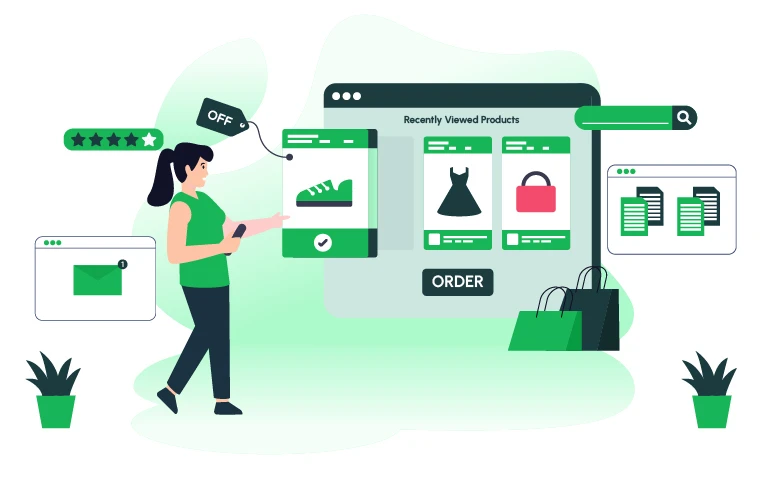
Most Shopify store owners focus on driving more traffic. But here is the uncomfortable truth: roughly 70% of shoppers who visit your store leave without buying, and most of them were already interested in something.
They browsed a product. They examined images, scrolled the description, and maybe even added it to the cart. Then something distracted them, a notification, a price comparison, or simply life, and they were gone.
The recently viewed products feature is your store’s memory. It picks up exactly where the customer left off, reminding them of what they were already considering, without any discount, push notification, or ad spend needed.
This guide covers everything a Shopify merchant needs to know: why it works, how to set it up, where to place it, and how to choose the right app. We will also share the exact keywords that merchants search for when looking for this feature, useful whether you are a store owner or building your own content strategy.
What Is a Recently Viewed Products Feature on Shopify?
A recently viewed products section is a dynamic, personalised widget that automatically displays the products a specific shopper has browsed during their current session, or across previous visits using browser cookies.
This is different from ‘recommended products’ or ‘you might also like’ sections, which are powered by store-wide algorithms. Recently viewed is strictly personal; it reflects that individual customer’s own journey through your store.
Here is a simple example: a visitor browses a leather wallet, then a canvas backpack, then gets distracted and lands on your homepage. A recently viewed section immediately shows those two products, anchoring them back into browse mode instead of starting from scratch.
Why Recently Viewed Products Matter: The Data
The numbers behind this feature are hard to ignore.
• 70% of shopping carts are abandoned before checkout. Recently viewed gives distracted shoppers a direct path back.
• The average Shopify store converts 1.4% of visitors. Top-performing stores hit 4.7% and above; the difference is almost entirely down to on-site experience improvements like personalisation.
• 11.4% of shoppers who interacted with a recently viewed reminder went on to complete a purchase in studies measuring this feature’s direct impact.
• 79% of Shopify traffic comes from mobile devices. Recently viewed keeps mobile shoppers engaged between sessions and across devices.
• Returning visitors convert at a significantly higher rate than first-time visitors, and recently viewed is the single most effective way to re-engage them instantly.
The core insight: showing customers what they have already expressed interest in is the lowest-friction path back to a sale. No discounts, no urgency tactics, no popups. Just smart, automatic personalisation.
How a Recently Viewed Products App Works on Shopify
A quality app like Qe Recently Viewed by QeApps handles everything automatically once installed. Here is what happens behind the scenes:
1. The shopper browses your store. The app silently tracks which product pages each visitor views, building a real-time personal browsing history in their browser.
2. Products appear in a dynamic slider. A beautifully styled recently viewed carousel appears on product pages, the homepage, collection pages, or wherever you choose to place it.
3. The shopper sees what they were already interested in. With one click, they return to a product they were already considering, dramatically reducing friction.
4. A quick-access drawer handles the purchase. A smooth slide-out drawer lets shoppers view product details, choose variants, and add directly to cart, without navigating away from the current page.
The entire experience is automatic. Once the app is installed and activated, no manual input is required from the merchant. Every shopper gets a personalised experience built from their own browsing behaviour.
Key Features to Look For in a Shopify Recently Viewed App
Not every app that claims to show recently viewed products is built the same. Here are the features that separate a lightweight widget from a genuinely conversion-driving tool.
Dynamic Carousel Slider
A responsive, swipeable slider that works smoothly on both desktop and mobile. A static grid often clutters the layout and fails on small screens, the slider format is far more user-friendly and visually polished.
Quick Product Drawer with Add to Cart
The best apps let shoppers explore product details, choose variants, and add directly to cart through a smooth sliding drawer , without leaving the page they are currently on. This reduces the number of clicks between interest and purchase.
Promotional Badges and Discount Display
If a product the customer previously viewed is now on sale, that discount should be clearly visible in the recently viewed slider. The combination of personal relevance and a price drop is one of the most powerful conversion triggers available.
Unlimited Products Display
Some apps cap the number of recently viewed items shown. Look for an app that lets you display as many items as you choose, giving shoppers full visibility into their browsing history.
Full Brand Customisation
The widget should match your store’s look and feel. Adjustable colours, fonts, image sizes, slider titles, and layout options ensure it feels like a native part of your store rather than a bolted-on tool.
Mobile-First and Performance-Optimised
With nearly 80% of Shopify traffic coming from mobile devices, the recently viewed slider must be fully responsive, fast-loading, and touch-friendly. It should also use caching so it never slows down your store’s Core Web Vitals scores.
Built for Shopify Certification
This badge is awarded by Shopify only to apps that meet their highest standards for performance, reliability, user experience, and security. It is the clearest signal that an app is trustworthy for your live store.
Frequently Asked Questions
Does a recently viewed products app slow down my Shopify store?
No , when built correctly, it should have zero impact on store speed. Qe Recently Viewed uses advanced caching so the slider loads instantly and does not affect Core Web Vitals or your Shopify store speed report.
Will it show for new visitors with no browsing history?
No. The section only appears once a visitor has viewed at least one product. For brand new visitors with zero history, the section stays hidden automatically, keeping your layout clean.
Can I control how the widget looks?
Yes, fully. You can adjust slider title, background colour, text colour, image size, slider type, product display count, and discount badge visibility , all without any code, directly from the Shopify Theme Editor.
Does it work with all Shopify themes?
Yes. Qe Recently Viewed is designed to adapt to your store’s existing design, fonts, and colours. It works with all major Shopify themes including Dawn, Debut, Prestige, and others.
Is there a free trial?
Yes. Qe Recently Viewed offers a 7-day free trial. The Premium Plan is $4.99 per month, or $49.99 per year , a 17% saving. There are no hidden fees and no feature limitations during the trial.
Can I show recently viewed products on the homepage?
Yes. Go to Shopify Theme Editor → Add Section → Apps → Qe Recently Viewed, place the slider wherever you prefer on the homepage, and save. It takes under two minutes.
Final Thoughts
Most conversion rate optimisation advice requires you to change something: rewrite copy, redesign a page, run A/B tests, or spend money on ads. Recently viewed products is different , it works with the interest your shoppers have already expressed, simply by showing it back to them at the right moment.
The investment is minimal. The setup takes minutes. And unlike discount-driven tactics, it adds no cost to your margin.
If you are running a Shopify store and you are not yet showing recently viewed products, you are leaving a genuinely low-effort, high-return conversion tool on the table.
Install Qe Recently Viewed free for 7 days → https://apps.shopify.com/qerecentlyview
Related Blogs



 [email protected]
 +91 95747 42204
 9th Floor, Solitaire Connect, Near Gallops Motors, SG Highway, Ahmedabad, Gujarat 380015


