
- Apps


 Easy Bundle ‑ Product Builder
All-In-One bundle builders
 Qe Slider ‑ Carousel Slider
Elevates Revenue with Slick Slider
 Qe Seasonal Effects & Decor
Add Festive Seasonal Decorations
 Qe Quick Link Redirect
Fix Broken Links Effortlessly
 Qe Frequently Bought Together
Boost Sales with Smart Upsells
 QeApps ‑ Mobile App Builder
No-code Mobile App Builder
 Qe Product Compare
Allowing Shoppers to Compare Items
 Discount Bulk Volume Quantity
Create Custom Product Bundles
 Sticky Cart+ Fly Cart
Add Fly-to-Cart Animations.
 QeCart ‑ Slide Out Cart
Add Dynamic Slide-out cart
 Qe Speechify | Voice Search
Seamless Voice Search Functionality
 Qe FAQ Page & Product FAQs
Customizable Product FAQs
 ATC Button Animation
Add to Cart Button Animations

Explore Our Shopify Apps to Grow Your Store
- Check Our Apps


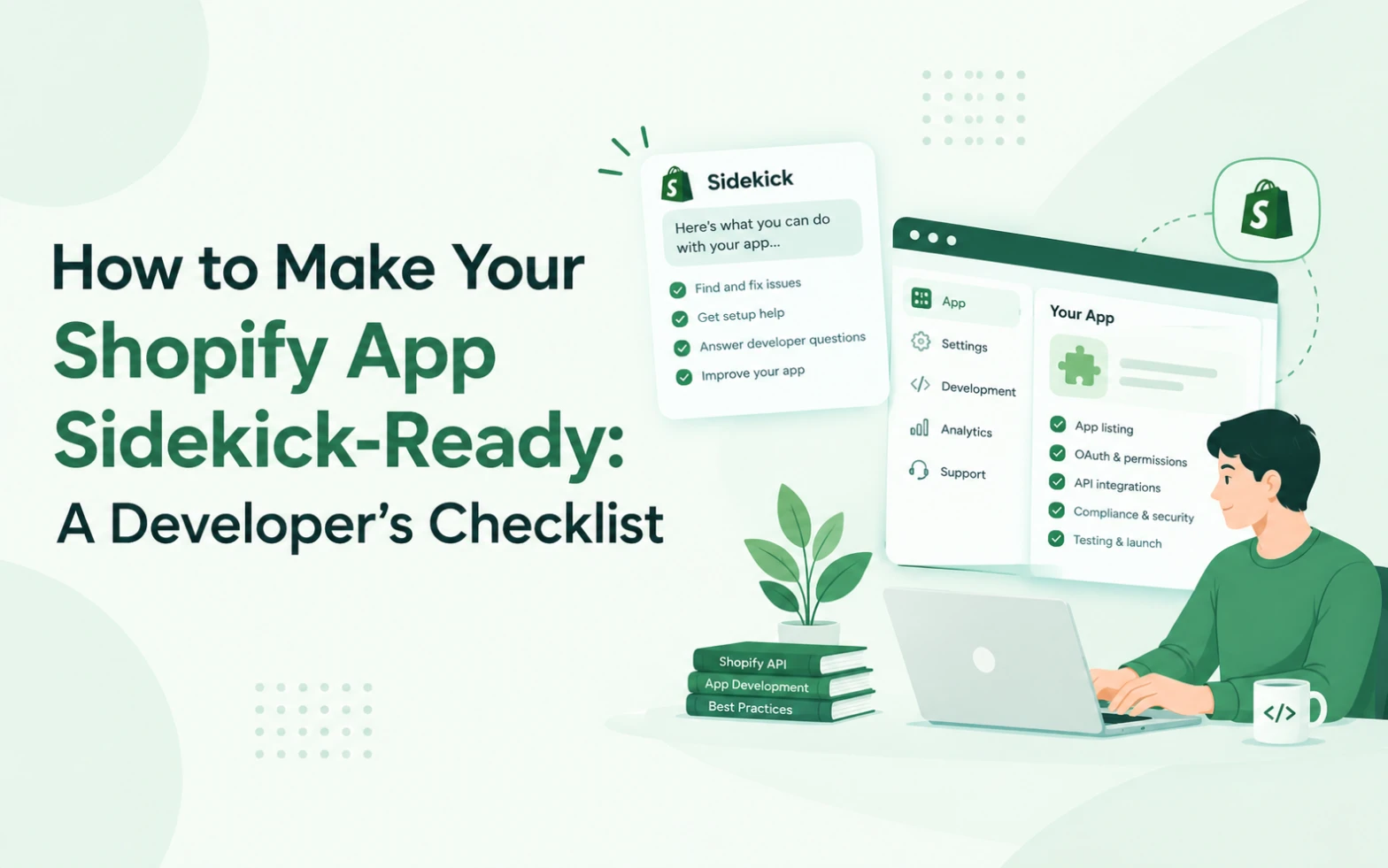
Introduction: Is Your Shopify App Ready for Sidekick?
Shopify app development is evolving. Merchants are increasingly using AI-powered tools to understand their stores, explore solutions and complete everyday tasks. As these experiences develop, app developers have an opportunity to make their products more useful within the Shopify ecosystem.
One important development is Shopify Sidekick, the AI assistant built into Shopify. Sidekick can help merchants work with store information, get guidance and interact with supported third-party apps.
For developers, this creates a practical question: how can your Shopify app participate in these experiences?
The answer is not simply to add AI features or mention Sidekick in your app description. Developers need to understand the available integration options, communicate their app’s capabilities clearly and build reliable workflows that address genuine merchant needs.
At QeApps, we believe that preparing for AI-driven commerce starts with understanding what merchants want to accomplish and making the path to that outcome easier.
This guide explains the key areas Shopify app developers should review when preparing their products for Sidekick.
1. Understand How Shopify Sidekick App Extensions Work
Before planning an integration, understand what Sidekick can do and how Shopify supports third-party apps.
Shopify’s developer documentation describes Sidekick app extensions that allow applications to expose relevant data and actions to Sidekick. This can help merchants find information from an app or navigate to an appropriate workflow without unnecessarily interrupting their work.
There are two important concepts to understand.
Exposing app data
A supported app extension can make relevant app data searchable through Sidekick.
For example, a merchant might want to find a particular email campaign or review relevant performance information. If an app exposes the required data through a properly configured extension, Sidekick can retrieve relevant information and present it to the merchant.
Exposing app actions
Action extensions can help merchants reach a relevant workflow within an application.
For example, a supported integration might direct a merchant to an appropriate editing screen with relevant context already provided. The merchant can review the proposed change and confirm it before anything is saved.
These capabilities depend on the integration being implemented correctly. An ordinary Shopify app does not automatically become accessible to Sidekick simply because it is installed.
Developers should start with the official Shopify Sidekick app extensions documentation and confirm the current requirements for their application.
2. Make Your App’s Purpose Easy to Understand
A successful integration begins with clear communication.
Consider two descriptions of a hypothetical Shopify app.
The first says:
“An advanced platform for managing your business.”
The second says:
“Search email campaigns, review performance metrics and find campaigns with the strongest subject-line results.”
The second description provides much more useful information. It identifies the data involved and explains what a merchant can accomplish.
Shopify’s developer guidance emphasises writing specific extension descriptions that help Sidekick determine when an extension is relevant to a merchant’s question.
Review the descriptions throughout your application and ask:
- What does the app help merchants accomplish?
- Which types of data can it access?
- Which tasks can it support?
- What inputs does each tool require?
- What are the limits of its capabilities?
Avoid broad descriptions that could apply to almost any app. Specific language makes your product easier for developers, merchants and supported AI workflows to understand.
At QeApps, we recommend treating clear product communication as part of product development rather than leaving it until the marketing stage.
3. Review Your Extension Summary and Tool Descriptions
Shopify’s Sidekick extension documentation identifies several implementation details that developers should review.
One is the extensions_summary field in shopify.app.toml. For apps with Sidekick-eligible extensions, Shopify requires a summary describing their supported capabilities.
A useful summary explains the operations and data types involved.
For example, an email marketing app might describe its supported capabilities as searching, creating and editing email campaigns, provided those operations are actually implemented.
Individual extension descriptions should then explain the specific purpose of each extension. Tool descriptions should also state what a tool does and what information it expects.
This is more useful than descriptions such as “Search extension for my app” or “Tools for your store.”
Think of the summary as an overview of your app’s Sidekick capabilities and the individual descriptions as explanations of particular tasks.
Important: Do not list operations that your app cannot perform. Descriptions should accurately reflect the functionality available to merchants.
For technical requirements, limits and implementation details, refer to Shopify’s official Sidekick extension guide.
4. Decide Which Merchant Questions Your App Should Support
Not every app needs to expose every possible feature.
A better starting point is to identify the merchant questions that your product is genuinely equipped to answer.
For example:
| App category | Possible merchant question |
| Email marketing | Which campaigns performed best? |
| Product reviews | What feedback are customers leaving? |
| Inventory tools | Which products need attention? |
| Product bundling | How can I manage my available bundle options? |
These are examples of potential use cases, not guaranteed Sidekick capabilities. The actual experience depends on your app’s functionality, data access, extension implementation and Shopify’s supported interfaces.
Start with one or two high-value use cases. Make sure they can be handled reliably before expanding to additional workflows.
This approach helps developers avoid building complicated integrations that do not solve a meaningful problem.
5. Design for Secure Data Access and Merchant Control
AI integration must be designed around trust.
An app may handle sensitive business information, customer records, marketing data or operational details. Making any of that information available through an AI-assisted workflow requires careful decisions about permissions and access.
Before implementation, establish:
- Which data the extension genuinely needs.
- Which Shopify permissions are required.
- Whether access is restricted to the correct merchant and store.
- How authentication and authorisation are handled.
- What information may be returned in a response.
- How errors and unauthorised requests are handled.
Shopify provides specific guidance on authentication, permissions and running Sidekick extensions within its supported environment. Follow the current documentation rather than assuming an existing API integration can be reused without changes.
For actions that modify data, keep the merchant in control. Make the proposed change understandable, show the relevant context and provide a clear confirmation step where required.
Never expose credentials, unrelated customer data or information that the merchant did not request.
Trust is not an additional feature. It is a core requirement for a reliable app experience.
6. Test Your Integration Before Releasing It
A working development build does not automatically mean an integration is ready for merchants.
Create test scenarios based on real questions your target users might ask.
For example:
- Can the extension identify the correct type of request?
- Does it return the expected information?
- Does it handle missing or incomplete data?
- Are permission errors handled safely?
- Does it respond within the relevant performance limits?
- Can a merchant reach the correct app screen?
- Are proposed changes reviewed before they are saved?
Test both successful and unsuccessful scenarios. A well-designed integration should respond appropriately when information is unavailable rather than returning misleading results.
Shopify’s developer documentation also describes validation and event logs for Sidekick extensions in development. Use these tools to identify configuration or policy problems before deployment.
After release, continue monitoring performance, reviewing merchant feedback and correcting issues.
7. Keep Your Shopify App Listing Consistent With Your Integration
Technical readiness and app marketing should support one another.
If your extension helps merchants find campaign performance information, your app listing should clearly explain the relevant reporting capabilities. If your integration supports a particular workflow, your product documentation should explain what the merchant can expect.
Avoid claiming that your app is fully integrated with Sidekick unless that is accurate and verifiable.
Review your app’s:
- Shopify App Store description.
- Feature screenshots and demonstrations.
- Website and help documentation.
- Supported use cases.
- Integration instructions.
- Security and permissions information.
Consistency makes it easier for merchants to understand what your product does and what it does not do.
It also helps your team maintain realistic expectations about the role AI can play in your product.
8. How QeApps Approaches AI Readiness
At QeApps, we see AI readiness as a combination of product clarity, useful functionality and continuous improvement.
A product should solve a real problem before its team focuses on how that product might fit into an emerging AI experience.
For Shopify app developers, this means understanding merchant workflows, reviewing technical integration opportunities and making product capabilities easier to communicate.
The best starting point is not to add AI everywhere. It is to identify where AI-assisted discovery or workflows could make an existing product more useful.
That requires collaboration between product, development, marketing and customer support teams.
Customer feedback can identify recurring problems. Developers can determine which solutions are technically feasible. Marketing teams can explain the product’s capabilities clearly, and analytics can help evaluate whether changes improve the user experience.
This is a practical way to prepare for evolving Shopify experiences without making unsupported promises about visibility or growth.
Conclusion: Start With Clarity, Then Build
Preparing your Shopify app for Sidekick requires more than updating a description or adding an AI label.
Developers should understand Shopify’s supported extensions, describe their capabilities accurately, identify valuable merchant questions, protect data and test their integrations thoroughly.
Start small, focus on a clear use case and improve the experience based on evidence.
For more context on the broader changes in AI-driven discovery, read QeApps’ main article, Shopify Sidekick & App Discovery: What App Developers Need to Know. Replace the example link with the published URL of the main article when available.
The opportunity is to build applications that are not only discoverable but also understandable, reliable and genuinely useful to merchants.
That is the foundation of a stronger Shopify app experience in the AI era.
Frequently Asked Questions
1. What is Shopify Sidekick, and how does it work with Shopify apps?
Shopify Sidekick is Shopify’s AI assistant that helps merchants understand their business and complete supported tasks. Eligible app integrations can make relevant data and workflows accessible through supported Sidekick experiences.
2. How can developers make their Shopify apps compatible with Sidekick?
Developers should review Shopify’s official Sidekick app extension requirements, configure eligible extensions, describe supported tools clearly, implement secure data access and test the integration.
3. What are Shopify Sidekick app extensions?
Shopify Sidekick app extensions allow eligible apps to expose supported data or actions, helping merchants find relevant information or access specific app workflows.
4. Does installing a Shopify app automatically make it available in Sidekick?
No. Developers must implement the relevant supported integration and meet Shopify’s requirements before their app functionality can be accessed through Sidekick.
5. Does Shopify Sidekick integration improve Shopify App Store rankings?
Not necessarily. Sidekick integration does not guarantee higher App Store rankings or visibility. Developers should focus on useful functionality, accurate app listings and a reliable merchant experience.
Related Blogs





 [email protected]
 +91 95747 42204
 9th Floor, Solitaire Connect, Near Gallops Motors, SG Highway, Ahmedabad, Gujarat 380015


