
- Apps


 Easy Bundle ‑ Product Builder
All-In-One bundle builders
 Qe Slider ‑ Carousel Slider
Elevates Revenue with Slick Slider
 Qe Seasonal Effects & Decor
Add Festive Seasonal Decorations
 Qe Quick Link Redirect
Fix Broken Links Effortlessly
 Qe Frequently Bought Together
Boost Sales with Smart Upsells
 QeApps ‑ Mobile App Builder
No-code Mobile App Builder
 Qe Product Compare
Allowing Shoppers to Compare Items
 Discount Bulk Volume Quantity
Create Custom Product Bundles
 Sticky Cart+ Fly Cart
Add Fly-to-Cart Animations.
 QeCart ‑ Slide Out Cart
Add Dynamic Slide-out cart
 Qe Speechify | Voice Search
Seamless Voice Search Functionality
 Qe FAQ Page & Product FAQs
Customizable Product FAQs
 ATC Button Animation
Add to Cart Button Animations

Explore Our Shopify Apps to Grow Your Store
- Check Our Apps


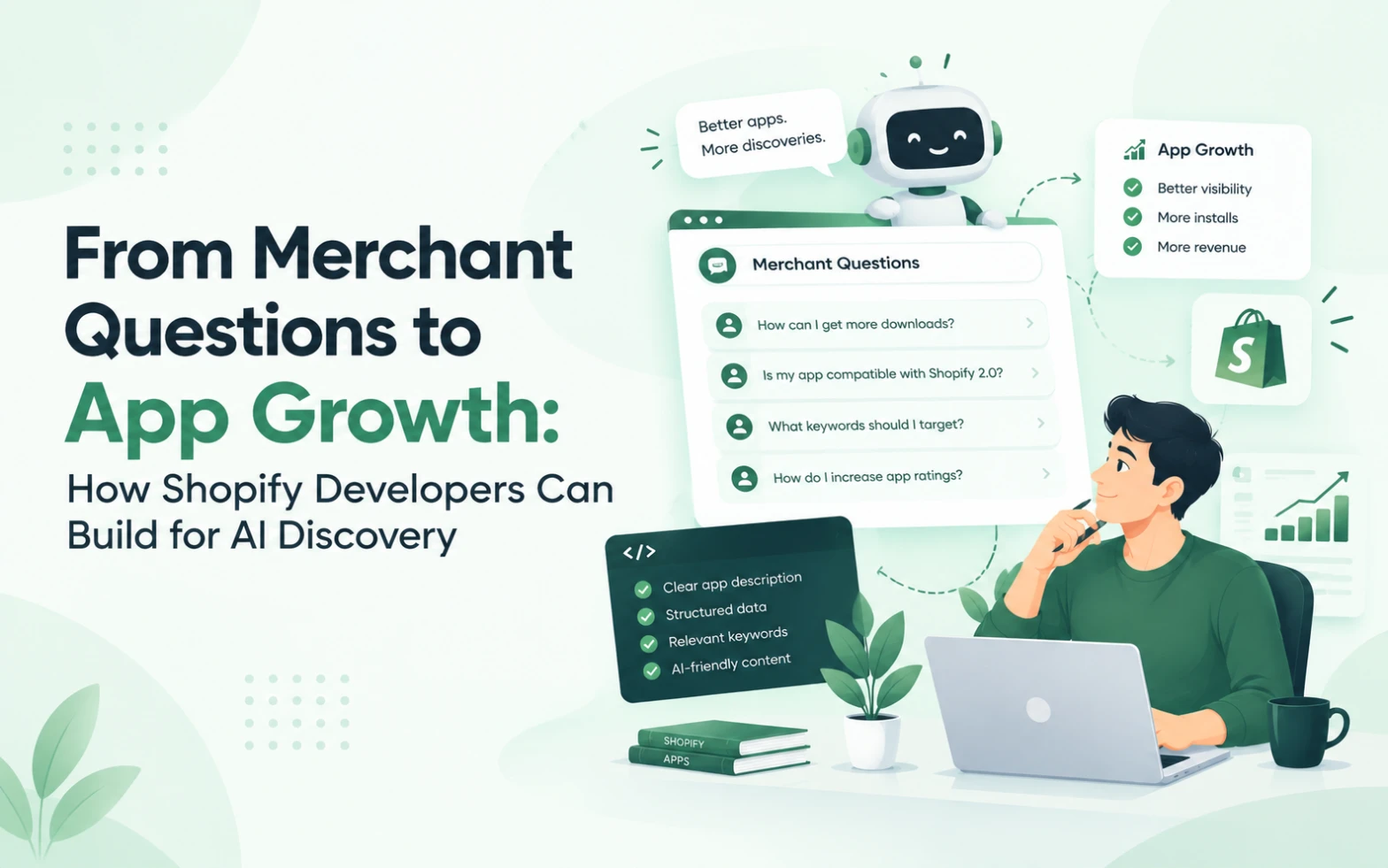
Introduction: What If App Discovery Started With a Question?
Imagine a Shopify merchant who wants to increase the average order value of their store.
However, they may not know whether they need product bundles, a gift box builder, a cross-selling tool or a different approach to product presentation.
Instead of searching for a specific app category, they begin with a question:
“How can I encourage customers to purchase more products together?”
This example illustrates an important opportunity for Shopify app developers. Merchants often understand the problem they want to solve before they understand the software that might help them solve it.
AI-assisted experiences, including Shopify Sidekick, can help merchants explore their goals and interact with supported applications.
As a result, app businesses have an opportunity to rethink product positioning, feature development and customer experience.
At QeApps, we believe the most useful starting point is not to ask how to add more features. It is to understand what merchants are trying to accomplish and how an app can help them do it.
This article explores how Shopify developers can use merchant intent to improve app growth and prepare for evolving AI-driven discovery.
1. Understand Merchant Intent Before Building Features
Merchant intent is the purpose behind a question, search or action.
A merchant who searches for a product bundle app may want to increase basket size, create gift sets, simplify product selection or offer customers more flexibility.
As a result, these goals can lead to different product requirements.
For this reason, app developers should investigate the problem behind the search instead of relying only on keyword data.
Start by asking customers questions such as:
- What were you trying to achieve when you looked for our app?
- What did you try before discovering it?
- Which part of the process was most difficult?
- What information did you need before making a decision?
- What would make the workflow easier?
Next, look for patterns across interviews, support conversations, reviews and product usage.
However, do not treat one customer’s request as proof that every merchant has the same need. Instead, combine qualitative feedback with relevant product data before deciding what to prioritise.
Ultimately, the goal is to understand the most common and valuable problems your app is well suited to solve.
2. Turn Merchant Questions Into Clear Use Cases
Once you understand the problem, connect it to a specific app capability. For example, consider how one feature can address a clear merchant need.
Consider a hypothetical bundle-building app.
A feature-focused description might say:
“Our app includes flexible bundle configuration.”
A merchant-focused explanation could say:
“Let shoppers select products for a personalised bundle, using the options your store supports.”
In comparison, the second statement connects functionality to an outcome.
More importantly, you can apply the same approach to many Shopify app categories.
| Merchant question | Potential app value |
| How can I offer personalised gift boxes? | Help shoppers select supported products for a gift box |
| How can I understand campaign performance? | Provide relevant campaign reporting and metrics |
| How can customers find products they viewed earlier? | Offer a recently viewed products experience |
| How can I gather more useful customer feedback? | Support review collection and feedback management |
These examples describe possible use cases, not promises about what every app or Sidekick integration can do.
Most importantly, your product must genuinely support the workflow being described.
As a result, clear use cases help marketing teams explain the product, help developers prioritise improvements and help merchants understand whether the app is appropriate for their needs.
3. Understand Where Shopify Sidekick Fits
Shopify Sidekick is an AI assistant built into Shopify that helps merchants with guidance, store-related tasks and supported app experiences.
Shopify’s documentation describes how app extensions can allow Sidekick to search an app’s data or help merchants reach relevant workflows.
In practice, this is important because app value may extend beyond the screens users visit directly.
For example, an app could provide a supported way for a merchant to retrieve relevant information through Sidekick. Meanwhile, another app might use an action extension to guide the merchant to an appropriate workflow.
However, the actual possibilities depend on the app’s functionality and Shopify’s supported integration requirements.
Developers should therefore distinguish three things:
What the app already does: Existing, working product capabilities.
What the integration can support: Functions that are technically available and properly implemented through supported interfaces.
What might become possible later: Future ideas that still require validation or platform support.
This distinction protects credibility. In other words, it prevents a potential AI use case from being presented as an existing feature.
To understand the implementation options, review Shopify’s Sidekick app extensions documentation and the current AI and agents developer guide.
4. Design the Experience Around the Merchant’s Next Step
Answering a question is useful, but helping the merchant take the appropriate next step can be even more valuable.
To begin, think about the entire journey.
First, a merchant identifies a problem. Next, they explore possible solutions and choose an app. After that, they install it, configure it and try to achieve the desired outcome.
As a result, confusion at any stage can prevent progress.
For example, a merchant who installs a bundle-building app may need to understand how to select products, configure bundle options and publish the relevant experience.
Therefore, if the onboarding process is unclear, the merchant may not reach the value that originally motivated the installation.
Review your product with these questions:
- Can a new user identify the main feature quickly?
- Are setup instructions clear?
- Are important settings explained in plain language?
- Does the product provide useful feedback when something goes wrong?
- Can users find help without leaving the workflow unnecessarily?
- Is the next action obvious?
This work can improve the product independently of AI integration. In addition, it provides a stronger foundation for any future AI-assisted workflows.
5. Build Product Content That Answers Real Questions
Your website, app listing and help documentation should reflect the questions merchants actually ask.
To build a useful content strategy, begin with customer research.
Suppose merchants regularly ask how to create personalised gift boxes. You could develop an educational article explaining the available approaches, the decisions involved and the product capabilities that support the workflow.
Most importantly, that article should answer the question fully, even for readers who are still comparing solutions.
After that, where relevant, explain how your app supports the specific use case.
A strong article can include:
- A clear explanation of the problem.
- Practical steps or options.
- Examples that reflect real workflows.
- Limitations or considerations.
- Relevant product screenshots.
- Links to useful documentation.
- A next step for readers who want to explore the solution.
Avoid creating content solely to repeat keywords or speculate about AI ranking factors.
Ultimately, the purpose is to help readers make informed decisions. Moreover, content that consistently answers genuine questions gives your website a clearer, more useful structure.
For QeApps, the Sidekick topic can support a connected series of articles: the main article introduces the discovery shift, while supporting content explains technical readiness, App Store SEO and merchant-intent-led product development.
6. Use Customer Feedback to Improve Your Product
Merchant questions are useful not only for marketing; they can also reveal product opportunities.
For instance, support conversations may show that users struggle with a particular configuration. Meanwhile, reviews may reveal missing documentation, and onboarding analytics may indicate where people stop progressing.
To act on these insights, create a simple process for turning the signals into improvements.
First, categorise recurring issues by theme.
Next, estimate how many users are affected and how important the problem is.
Then, identify whether the best response is a product change, clearer documentation, improved onboarding or a different support process.
Finally, measure what happens after the change.
For example, if users repeatedly ask how to configure a particular feature, improving the setup instructions may be more effective than adding another feature.
In this way, teams can make decisions based on evidence rather than assumptions.
Additionally, it creates a useful feedback loop between customer support, product development, marketing and app analytics.
7. Measure Whether Your Changes Help Merchants
AI readiness and merchant-focused development should produce observable improvements where possible.
Therefore, choose metrics that match the problem you are trying to solve.
For app discovery, you might monitor relevant listing visits and installation rates. For onboarding, you could measure the percentage of new users who complete setup. For a product improvement, you might examine feature adoption, support requests or retention.
A simple measurement framework could include:
| Goal | Possible metric |
| Improve listing clarity | Listing-to-install conversion |
| Reduce onboarding friction | Setup completion rate |
| Improve feature understanding | Feature adoption or help article engagement |
| Reduce repeated confusion | Related support request volume |
| Improve long-term value | Retention and meaningful product engagement |
These metrics are not interchangeable. For example, a rise in traffic does not automatically mean a better product experience, and a reduction in support tickets does not always mean users are more successful.
For a more accurate assessment, interpret results in context and consider other changes that may affect performance.
When evaluating AI-related discovery, avoid assuming every installation increase came from Sidekick unless the source can be measured reliably.
Finally, use available analytics, consistent definitions and privacy-respecting measurement practices.
8. How QeApps Can Approach Merchant-First App Growth
At QeApps, we believe a sustainable app strategy should connect three areas: merchant needs, product capabilities and clear communication.
First, start with the merchant problem by identifying what the user wants to accomplish and what prevents them from doing so.
Next, evaluate the product. Determine which capabilities already address the problem, which improvements would make the experience easier and which technical opportunities are worth investigating.
Finally, communicate the solution by making the relevant use cases clear in the App Store listing, website, product screenshots and documentation.
As Shopify develops Sidekick and related AI experiences, developers should also review the supported ways their applications can expose useful data or workflows.
However, this is not about promising that an AI assistant will recommend every product. Instead, it is about building applications with clear capabilities and useful experiences that can adapt as the ecosystem changes.
The most effective work often starts with practical questions:
What do our users struggle with? Which task can we make easier? How will we know whether the change helped?
Ultimately, answering these questions can guide both everyday product improvements and longer-term AI readiness.
Conclusion: Build for the Problem, Not Just the Search
AI-assisted discovery is encouraging Shopify app developers to think more carefully about how merchants describe problems and evaluate potential solutions.
Shopify Sidekick makes this shift particularly relevant because it can connect merchant questions with supported app data, actions and discovery experiences.
Nevertheless, technology alone does not guarantee app growth.
Instead, developers still need useful products, clear positioning, reliable onboarding, relevant content and evidence that their changes help customers.
To begin, understand merchant intent. Then translate it into clear use cases, improve the customer journey and measure the results. Finally, explore the AI integration opportunities that are genuinely supported by your product and Shopify’s platform.
For the wider perspective, read QeApps’ main article, Shopify Sidekick & App Discovery: What App Developers Need to Know. Replace the example destination with the published URL of the main article.
The guiding principle is simple: when merchants explain what they need, your product should make its value easy to understand.
As a result, this is a strong foundation for app growth today and for adapting to tomorrow’s discovery experiences.
Frequently Asked Questions
1. How can Shopify developers improve app discovery with AI?
To improve discovery, understand merchant search intent, explain your app’s capabilities clearly, publish helpful content and maintain an accurate Shopify App Store listing.
2. What is merchant intent in Shopify app development?
Merchant intent is the goal behind a merchant’s search or question. By understanding it, developers can build relevant features and communicate their app’s value effectively.
3. How does Shopify Sidekick help merchants discover apps?
Shopify Sidekick can recommend relevant apps based on merchant requests and help merchants explore supported app experiences within Shopify.
4. How can Shopify apps become ready for AI-powered discovery?
To prepare, developers should clarify app use cases, maintain consistent product information, improve onboarding and explore Shopify’s supported AI integrations.
5. How can customer feedback help Shopify app developers grow their apps?
Reviews, support questions and usage data reveal customer challenges. By using these insights, developers can improve features, simplify onboarding and create more helpful content.
Related Blogs



 [email protected]
 +91 95747 42204
 9th Floor, Solitaire Connect, Near Gallops Motors, SG Highway, Ahmedabad, Gujarat 380015


