
- Apps

 Easy Bundle ‑ Product Builder
All-In-One bundle builders
 Checkout Blocks & Customizer
Checkout Customization
 Qe Slider ‑ Carousel Slider
Elevates Revenue with Slick Slider


 Qe Seasonal Effects & Decor
Add Festive Seasonal Decorations
 Qe Quick Link Redirect
Fix Broken Links Effortlessly
 Qe Frequently Bought Together
Boost Sales with Smart Upsells
 QeApps ‑ Mobile App Builder
No-code Mobile App Builder
 Qe Product Compare
Allowing Shoppers to Compare Items
 Qe Multiship
Ship Items to Multiple Addresses
 Discount Bulk Volume Quantity
Create Custom Product Bundles
 Sticky Cart+ Fly Cart
Add Fly-to-Cart Animations.
 QeCart ‑ Slide Out Cart
Add Dynamic Slide-out cart
 Qe Speechify | Voice Search
Seamless Voice Search Functionality
 Qe FAQ Page & Product FAQs
Customizable Product FAQs
 ATC Button Animation
Add to Cart Button Animations

Explore Our Shopify Apps to Grow Your Store
- Check Our Apps

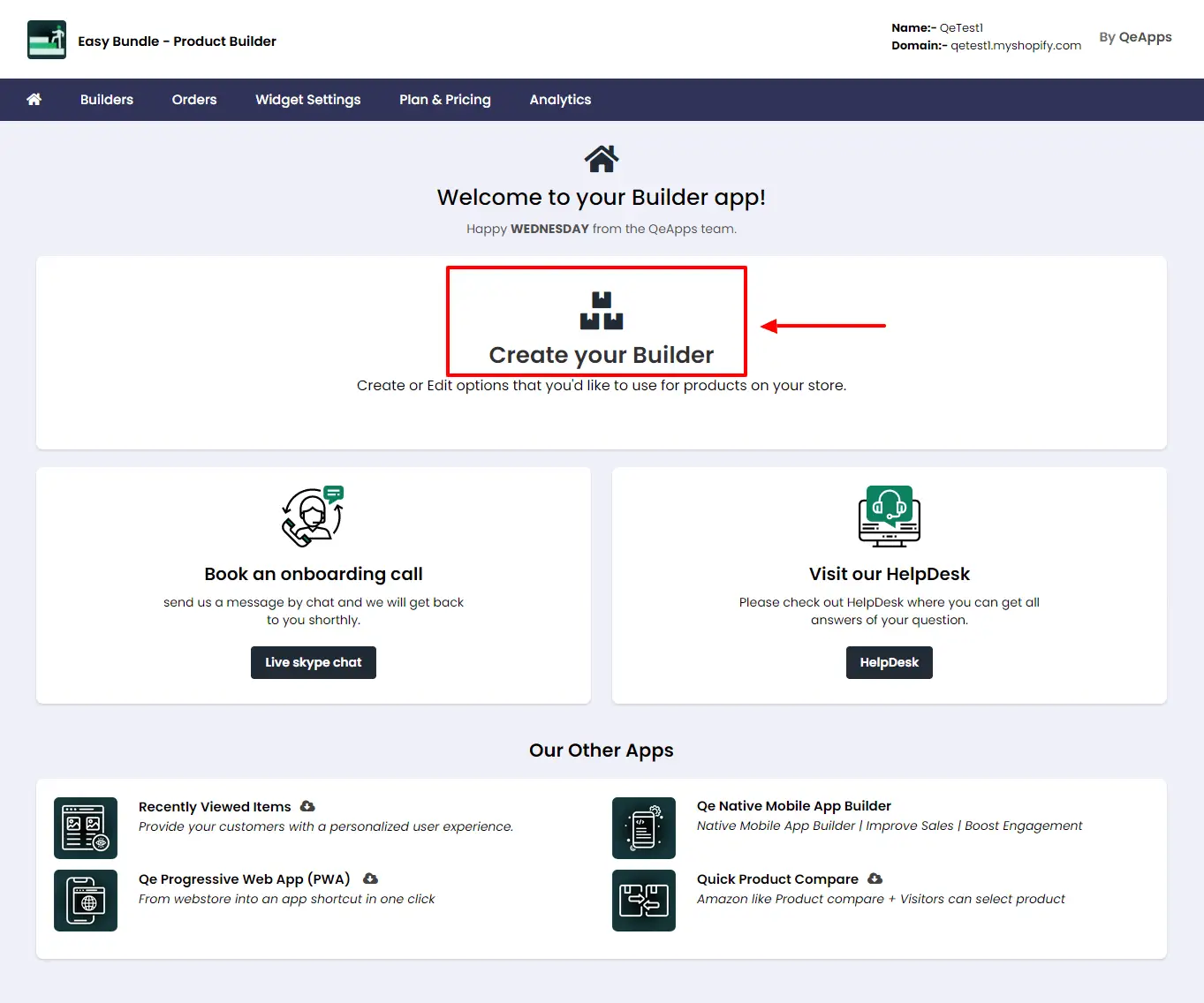
Step 1: Getting Started
Access the Dashboard:
Begin by logging into your Shopify admin account and accessing the dashboard.
Create a Builder:
Click on "Create Your Builder" to initiate the builder creation process.
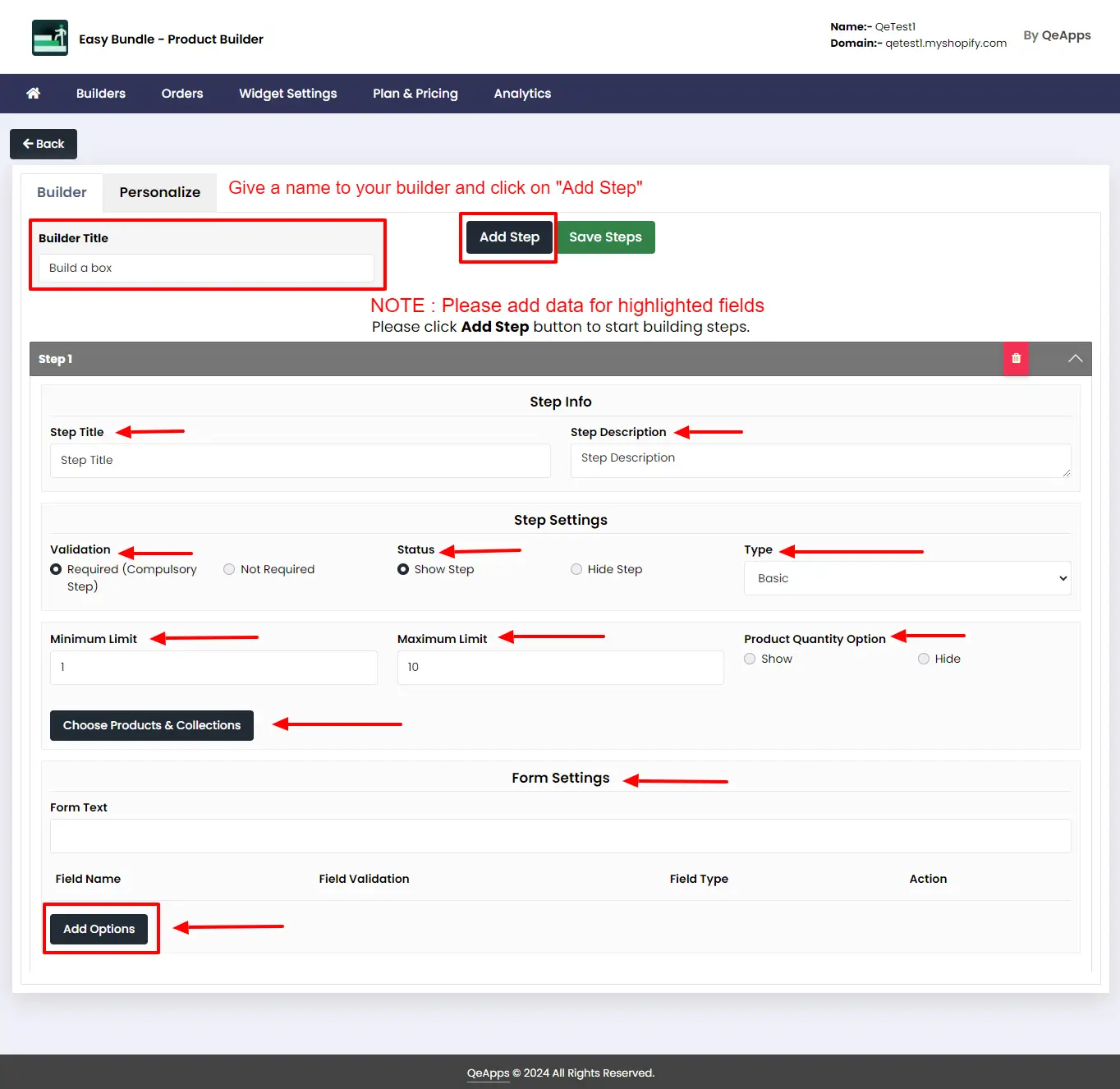
Step 2:
Name the Builder:
Provide a name for your builder in the "Builder Title" box.
Note : Builder name will not be visible to the your customers. It will only only be used in your dashboard.
Add Steps to the Builder:
Begin by adding steps to your builder to offer products stepwise.
- Step Info: Add the Step Name and Description for the step.
- Step Settings: Define the validations, product selection limit, price type for the step.
- Form Settings: Define the required form fields and validations for the step.
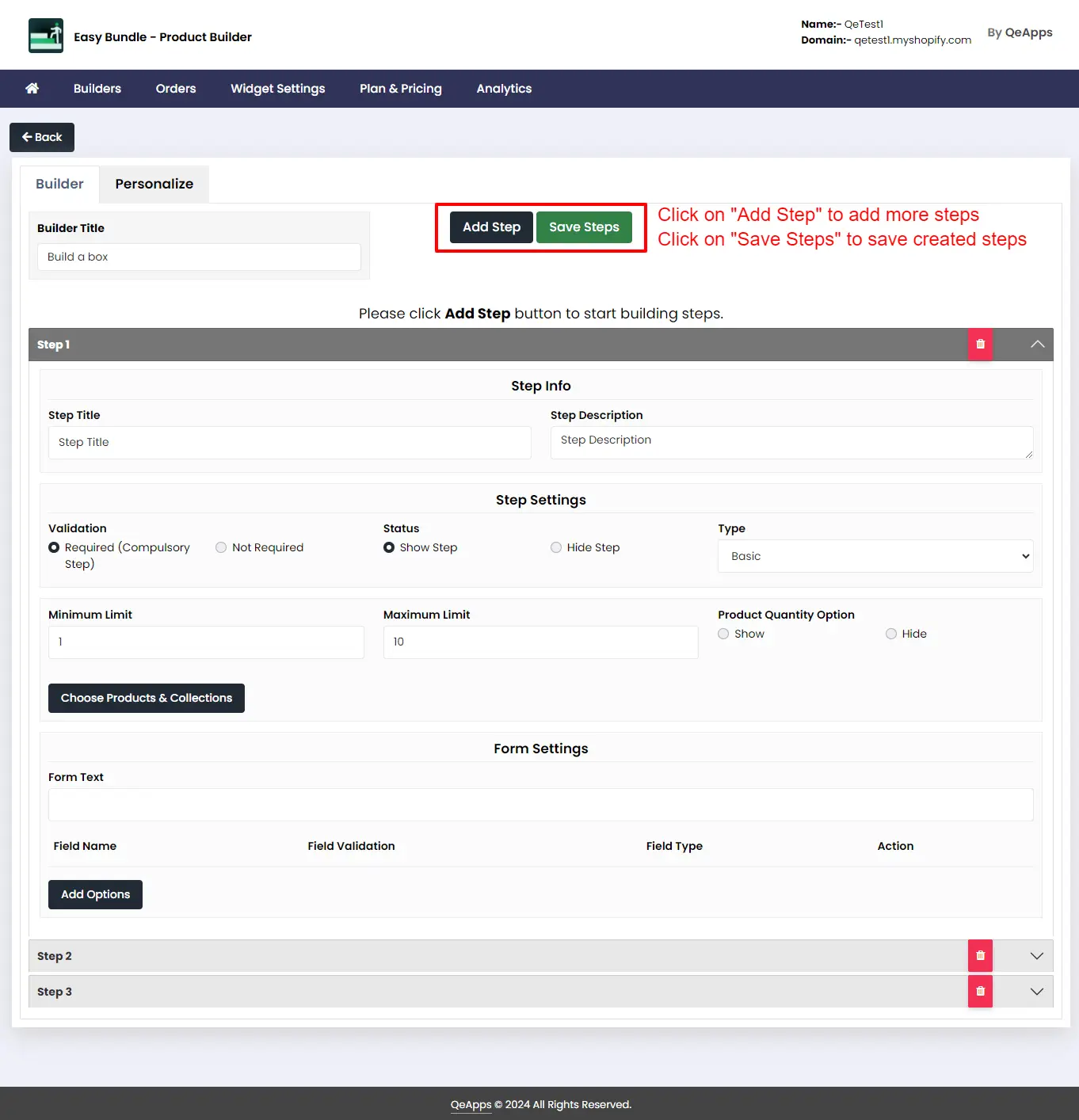
Step 3:
Create multiple steps by clicking on “Add Step”, add data for the required fields and click on “Save Step” to save the created steps.
Step 4:
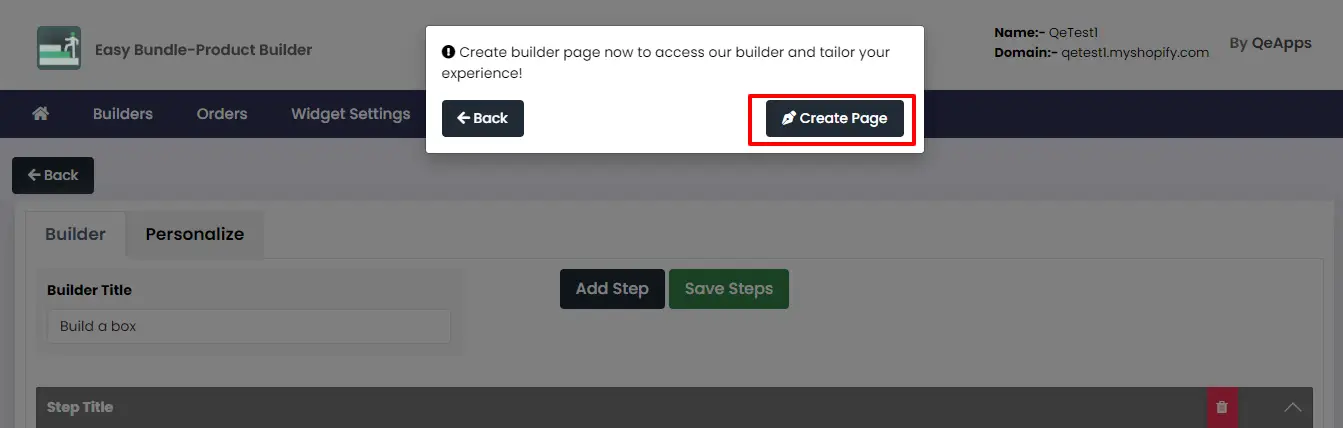
Click on “Create Page” to preview the created builder.
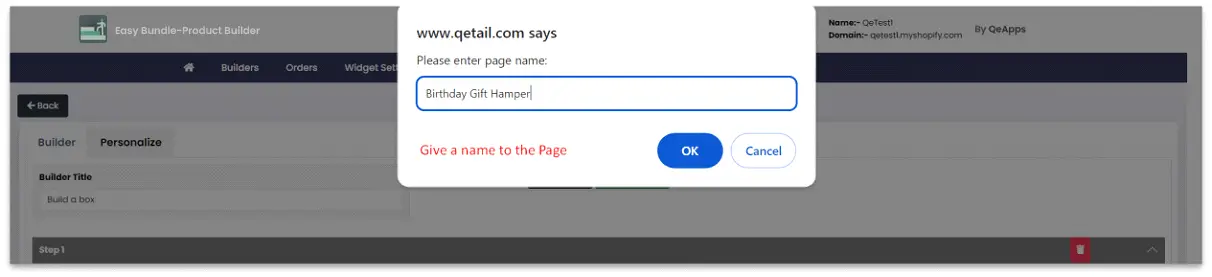
Please give a name to the created page.
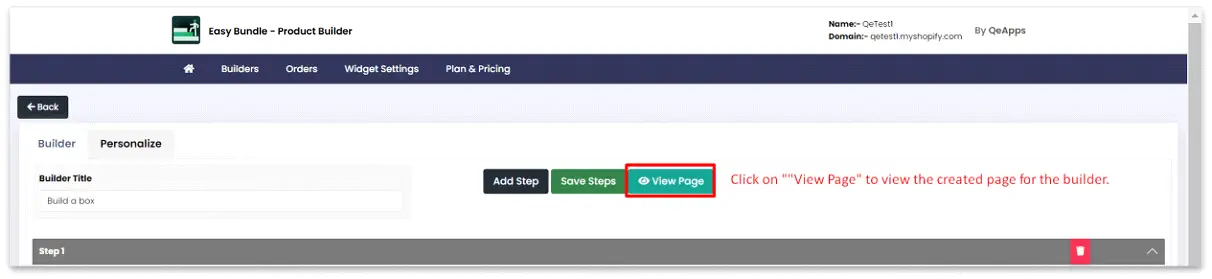
Now click on “View Page” to view the created builder.
Step 5:
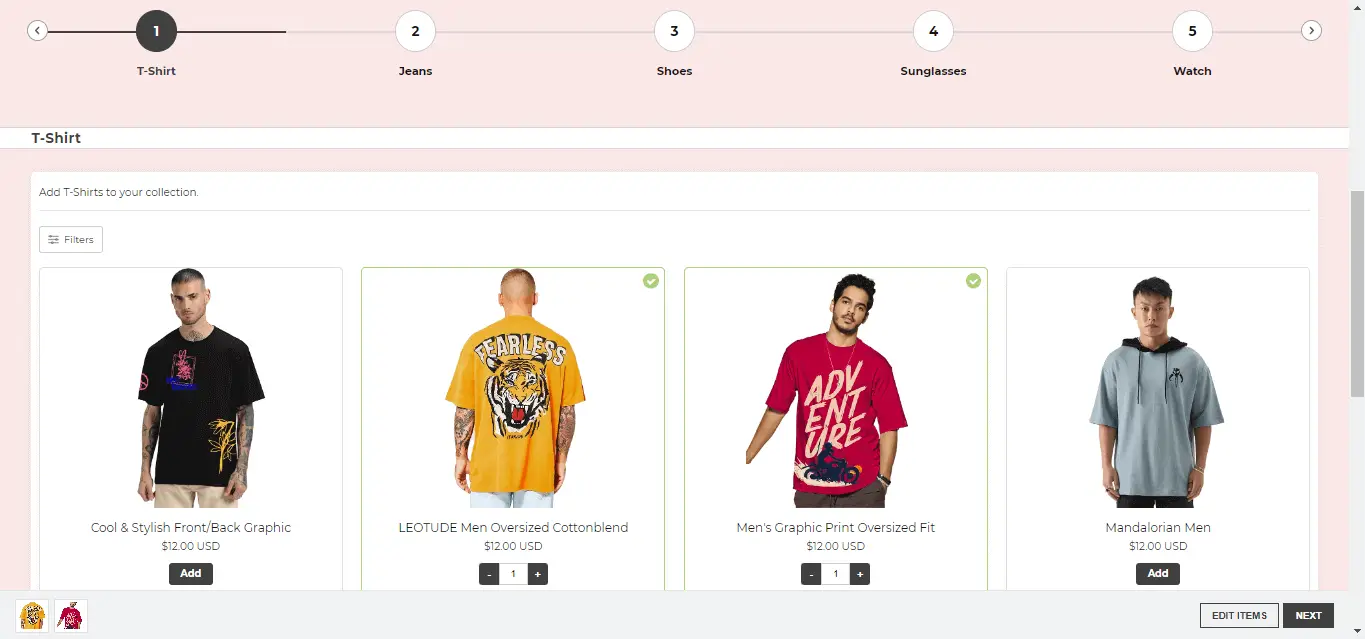
Add the products and preview the builder. Click on “Checkout” to complete your order.


 [email protected]
 +91 95747 42204
 9th Floor, Solitaire Connect, Near Gallops Motors, SG Highway, Ahmedabad, Gujarat 380015


