
- Apps


 Easy Bundle ‑ Product Builder
All-In-One bundle builders
 Qe Slider ‑ Carousel Slider
Elevates Revenue with Slick Slider
 Qe Seasonal Effects & Decor
Add Festive Seasonal Decorations
 Qe Quick Link Redirect
Fix Broken Links Effortlessly
 Qe Frequently Bought Together
Boost Sales with Smart Upsells
 QeApps ‑ Mobile App Builder
No-code Mobile App Builder
 Qe Product Compare
Allowing Shoppers to Compare Items
 Discount Bulk Volume Quantity
Create Custom Product Bundles
 Sticky Cart+ Fly Cart
Add Fly-to-Cart Animations.
 QeCart ‑ Slide Out Cart
Add Dynamic Slide-out cart
 Qe Speechify | Voice Search
Seamless Voice Search Functionality
 Qe FAQ Page & Product FAQs
Customizable Product FAQs
 ATC Button Animation
Add to Cart Button Animations

Explore Our Shopify Apps to Grow Your Store
- Check Our Apps

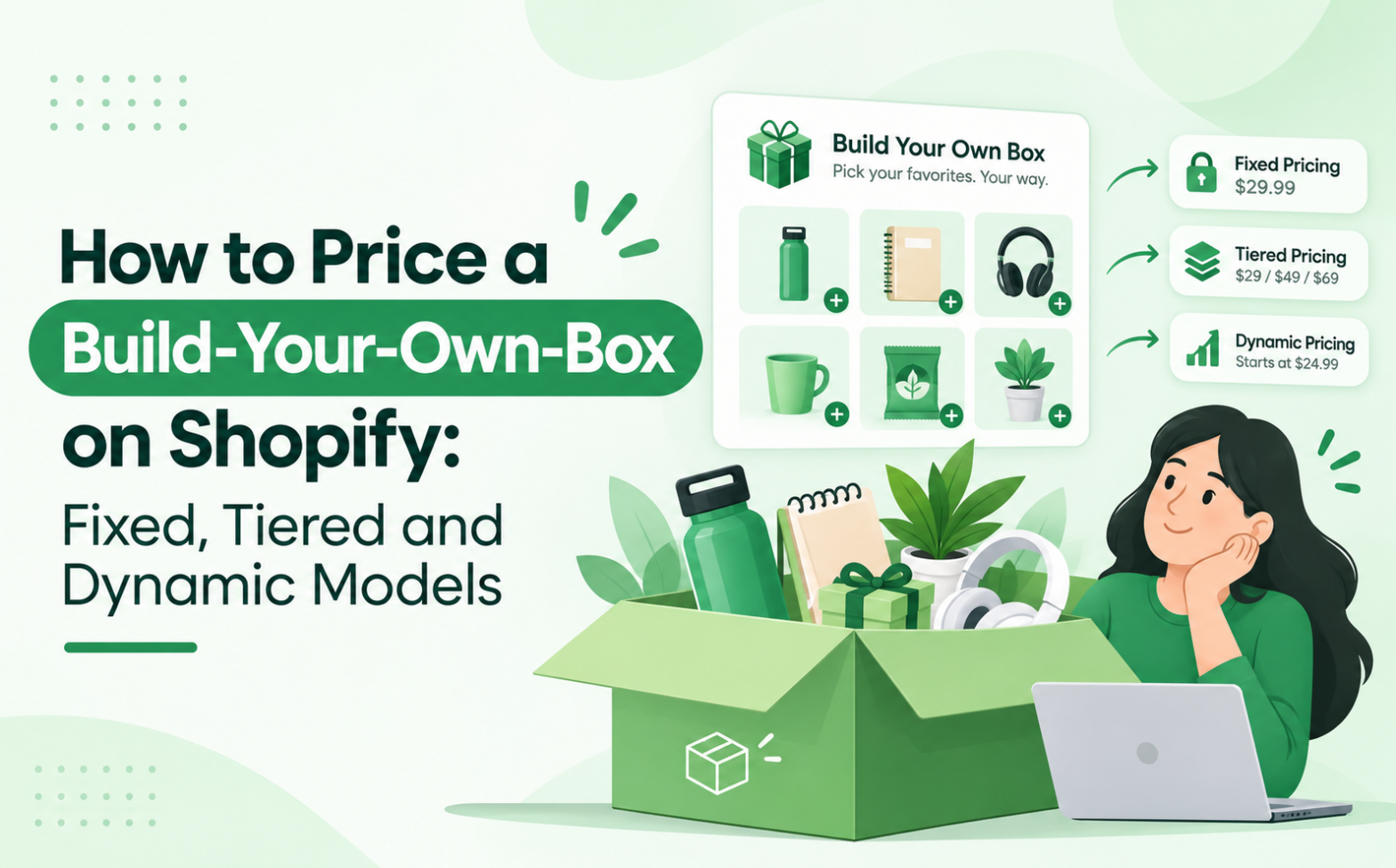
Your build-your-own box is ready, but what should a customer pay? Should every box have one price, offer a better deal as shoppers add more, or calculate a total based on the items they pick? Ultimately, knowing how to price a build-your-own box on Shopify affects your margin, your average order value (AOV) and how fair the offer feels to shoppers. QeApps BYOB – Bundle Gift Box Builder supports fixed, discounted and dynamic pricing, so you can apply any model below.
What Is Build-Your-Own-Box Pricing?
Build-your-own-box (BYOB) pricing is the set of rules that turns a shopper’s product choices into one order total. By comparison, a predefined bundle is a fixed set you choose, while a mix-and-match bundle lets shoppers pick from a range. A build-your-own gift box takes that choice further by adding the box, extras and personalisation.
Regardless of the format, the price must cover the whole box, not only the products inside it. For instance, a $60 box holding $26 of stock can still lose money once packing, shipping and fees are added.
Quick Insight
Price the box you ship, not the products you list.
The Three Main Ways to Price a Build-Your-Own Box
Model 1: Fixed Pricing
Under fixed pricing, every box has one price, whatever the shopper picks within your rules. For example, a customer might choose five items from an approved range for $60.
Here, your selection rules control costs. To do so, limit the product pool, cap the number of items and keep eligible products in a similar cost band. Then calculate against the worst case: the five costliest eligible items:
- Product cost (COGS, or cost of goods sold): $26
- Packaging: $4
- Fulfilment labour: $3
- Shipping subsidy: $5
- Payment fees: $2
- Total cost: $40
After these costs, $20 remains as contribution margin, or 33%. In other words, contribution margin is what remains after the direct costs of one order.
Therefore, fixed pricing suits gifting stores with predictable budgets and is simple to explain. However, you absorb the gap when shoppers choose your costliest items, so keep premium products out of the pool.
Model 2: Tiered Pricing
With tiered pricing, each box size has a different price, so shoppers pay less per item as they add more. For example, these illustrative prices offer 3 products for $30, 5 for $45 and 7 for $58. A minimum of three and a maximum of seven items ensures every box falls into a tier.
Next, test each tier. Assume each product costs $6, while packaging, fulfilment and fees rise from $6 to $8 to $10:
- 3 products: cost $24, contribution $6 (20%)
- 5 products: cost $38, contribution $7 (15.6%)
- 7 products: cost $52, contribution $6 (10.3%)
As a result, the price per item falls from $10.00 to $9.00 to $8.29. However, the 7-product tier earns no more than the 3-product tier despite needing more packing and stock. Raising it to $60 lifts contribution to $8.
Quick Insight
A discount only pays when the extra items earn more contribution than the discount gives away.
Consequently, tiers suit snack boxes and other products shoppers count in quantities. If you only need quantity breaks on single products, Discount Bulk Volume Quantity is a separate QeApps option.
Model 3: Dynamic Pricing
In a custom bundle, dynamic pricing builds the total from the selected items’ prices, plus add-ons such as personalisation, minus any discount rule. Importantly, this is not AI pricing; it does not react to competitors or demand.
This model works when products differ widely in price and cost, as in skincare. To illustrate, these hypothetical figures assume fees of 2.9% plus $0.30, packaging at $4 and fulfilment at $3:
- Box A: serum, cleanser, moisturiser and mask ($82) plus a $5 engraving = $87. Cost $38.32. Contribution $48.68 (56%).
- Box B: lip balm, hand cream, soap and mask = $43. Cost $21.55. Contribution $21.45 (50%).
Although both boxes hold four items, their totals differ by $44. Even so, margins hold because price moves with cost. The trade-off is a less predictable total, so show shoppers a running total as they build.

Fixed vs Tiered vs Dynamic: Which Model Should You Choose?
| Model | How it works | Best suited for | Main advantage | Main limitation | Margin considerations |
| Fixed | One price per box | Gifting, set budgets | Easy to understand | Costly picks cut margin | Price on worst-case selection |
| Tiered | Price steps up with item count | Snacks, multi-item sets | Encourages bigger boxes | Deep tiers erode margin | Check contribution at every tier |
| Dynamic | Total follows chosen items | Mixed price points | Protects margin per box | Less predictable total | Review item costs regularly |
How to Calculate a Profitable Build-Your-Own-Box Price
First, add up every cost the box creates: product cost, packaging, labour and fulfilment, any shipping subsidy, payment processing fees and discounts. Meanwhile, keep taxes such as VAT or GST outside your price calculation because they are collected for the tax authority.
Next, use this formula: selling price = total cost ÷ (1 − target margin). For the $40 cost above and a 35% target, $40 ÷ 0.65 = $61.54. Therefore, pricing at $62 gives a margin of 35.5%.
However, do not confuse markup with margin. A $20 gain on $40 of cost is a 50% markup but only a 33% margin. Similarly, revenue is not profit: a 10% discount on $62 removes $6.20, leaving $15.80 of contribution, or 28% (fees ignored for simplicity). Since no discount percentage suits every store, test yours against your own costs.
Quick Insight
Margin is measured against the selling price. Markup is measured against cost. Mixing them up is how boxes get underpriced.
How to Choose the Right Pricing Model for Your Store
The following are possible applications rather than universal rules:
- Beauty and skincare: dynamic pricing fits routines with products at different price points.
- Food and beverages: tiers suit quantity-based selections, as in build-your-own Halloween treat boxes.
- Gifting: fixed prices give shoppers a predictable budget.
- Baby and mother care: fixed or dynamic pricing works for personalised sets.
- Fashion and lifestyle: tiers suit mix-and-match accessories.
Common Build-Your-Own-Box Pricing Mistakes
1. Pricing from product cost alone. Add packaging, labour and fees first.
2. Ignoring fulfilment. Time larger boxes and include the result.
3. Discounting too deeply. Check contribution margin at each tier.
4. Leaving selection unrestricted. Set item limits or cost bands.
5. Confusing tiers. Keep three or four, each clearly labelled.
6. Revealing charges late. Baymard Institute’s 2026 research found that 40% of shoppers abandon a checkout because of additional costs such as delivery charges and taxes (Baymard Institute). Show shipping and add-on costs inside the builder.
7. Never reviewing performance. Compare real margins monthly.
Quick Insight
Surprise costs hurt conversion. Show the full price while the shopper is still choosing.
How QeApps BYOB Helps You Apply These Pricing Models
To put these models into practice, BYOB offers a Fixed Price Builder, Mix and Match builders and Discount Based on Quantity. Its listing also describes fixed pricing, percentage or flat-rate discounts, tiered pricing and dynamic pricing for custom selections. In addition, Product Personalization fields cover add-ons, while automatic and manual inventory management keeps stock accurate. The app has also earned the Built for Shopify badge.
However, features vary by plan: quantity, product and cart discounts sit on Essential, while Multi Currency and Multi Language and the analytics dashboard sit on Enterprise. Be sure to check the listing for current details. For a wider view of how builders affect AOV, read how a gift box builder can boost Shopify sales.
Conclusion
Overall, start with fixed pricing if your products cost about the same, add tiers for bigger boxes, and use dynamic pricing when costs vary widely. Finally, review real orders and adjust.

Frequently Asked Questions
Q.1 How should I price a build-your-own box on Shopify?
Add every cost of the box, choose a target margin, then divide total cost by one minus that margin. Test it against your costliest selection.
Q.2 Is fixed or dynamic pricing better for custom gift boxes?
Fixed pricing suits similar-cost products and set budgets. Dynamic pricing suits products with very different prices. Neither is better for every store.
Q.3 How do I calculate profit margins for product bundles?
Subtract total cost from the selling price, then divide by the selling price. Include packaging, fulfilment, fees and discounts.
Q.4 Can I offer quantity-based discounts on Shopify bundles?
Yes. Tiered pricing and quantity discounts reward larger boxes, but check contribution margin at every tier.
Q.5 How can Shopify merchants create a build-your-own-box experience?
Most merchants use a bundle app such as QeApps BYOB to set products, rules and pricing without coding, as Shopify does not offer a full native build-a-box experience.
Related Blogs






 [email protected]
 +91 95747 42204
 9th Floor, Solitaire Connect, Near Gallops Motors, SG Highway, Ahmedabad, Gujarat 380015


