












Transform Your Shopify Store with Game-Changing Features

Enjoy responsive sliders that adapt beautifully to any device, ensuring a flawless mobile experience.

Multiple Slider Types

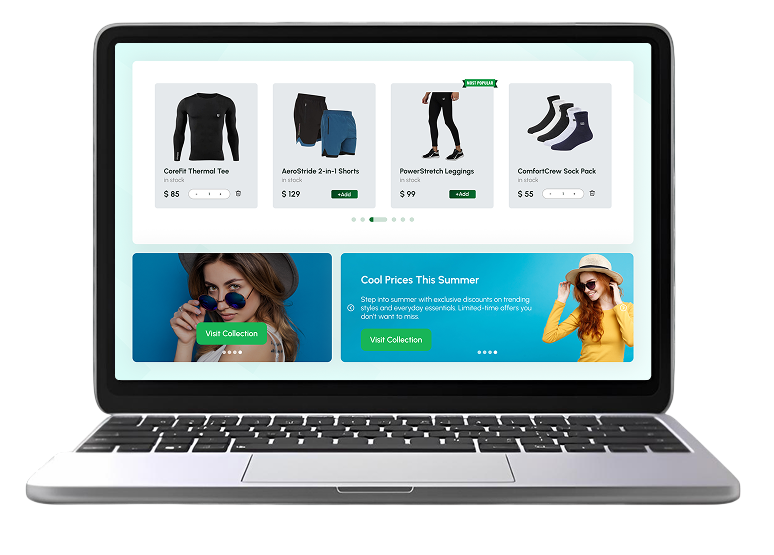
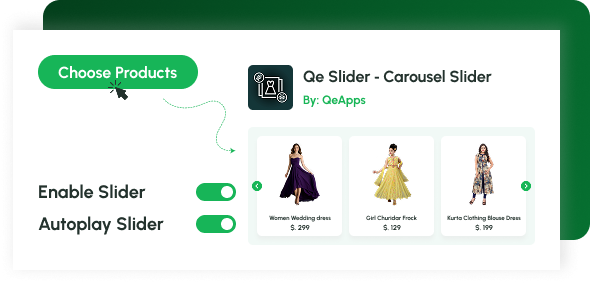
Create product, collection, image, and video carousels effortlessly to showcase your Shopify products in dynamic layouts.

Add to Cart from Slider

Let shoppers add products to their cart instantly without page reloads.

Product Carousel with Video

Engage customers through motion with Product Carousel with Video Shopify integration, ideal for visual storytelling.

Image Slider for Shopify

Display multiple product images in smooth, elegant transitions that enhance your store’s browsing experience.

Full Customization Control

Personalize every detail, fonts, colors, backgrounds, and layouts, to perfectly align with your brand’s aesthetic.

Mobile-Optimized Design

Enjoy responsive sliders that adapt beautifully to any device, ensuring a flawless mobile experience.

Activate Qe Slider, Transform Your Shopify Store Instantly!

  • Go to your Shopify Dashboard
  • Click Online Store ,Themes
  • Select your preferred theme and click Customize
  • In the sidebar, click the App embeds icon
  • Find Qe Slider, Collection Carousel
  • Toggle the app ON and click Save

Once activated, your Collection Slider Shopify App will be ready to use across your store.

Set Up Your Sliders in Minutes, No Coding Needed

Organize sliders using shortcodes directly in your theme customization. Follow these steps for each type of slider.

  • Product Slider Setup

  • Product Grid Slider Setup

  • Collection Slider Setup

  • Image Slider Setup

  • Video Slider Setup

  • Set up in your theme

Paste the Product Slider shortcode into your theme’s block and click Save to display it.

Customize Every Detail to Match Your Brand

Qe Slider provides extensive customization options so your carousels perfectly align with your store’s design.

Shopify App Store interface showing the Qe PWA app.

General Settings

  • Checkmark

    Choose products or collections to display

  • Checkmark

    Enable/disable sliders anytime

  • Checkmark

    Toggle mobile visibility

  • Checkmark

    Autoplay or manual navigation

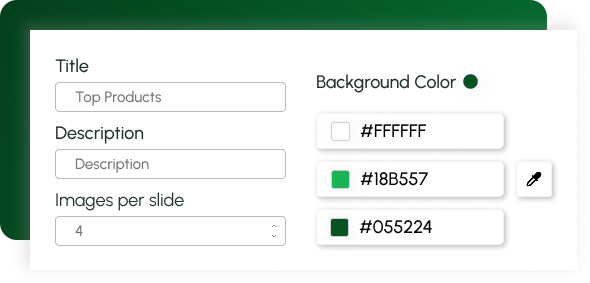
Text & Design Settings

  • Checkmark

    Change title and description fonts & colors

  • Checkmark

    Adjust font sizes for titles, descriptions, and prices

  • Checkmark

    Modify background color

  • Checkmark

    Set the number of images per slide

App customization interface for branding.
App activation screen.

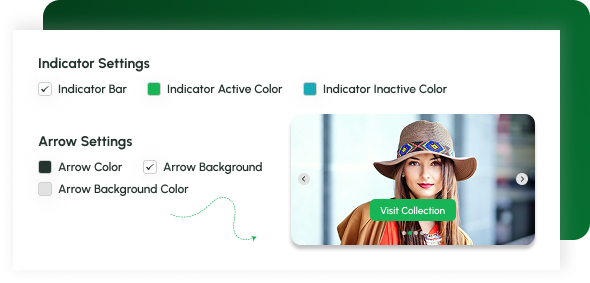
Navigation & Indicators

  • Checkmark

    Customize arrow colors and backgrounds

  • Checkmark

    Adjust indicator bar styles

  • Checkmark

    Choose active/inactive colors

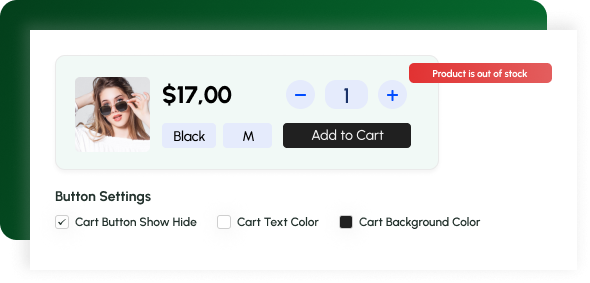
Button & Cart Settings

  • Checkmark

    Show or hide Add to Cart button

  • Checkmark

    Change text color, background, and border radius

  • Checkmark

    Edit button text or Out of Stock message

App customization interface for branding.

Why Merchants Love Qe Slider – Carousel Slider

Fast Checkout Push

Boost conversions with Add to Cart directly from sliders

Seamless Slider Interaction

Deliver a smooth, faster browsing experience with interactive product sliders

Featured Collections

Highlight collections beautifully using the Collection Slider Shopify App

Elegant Image Slider

Elevate your store design with an elegant Image Slider for Shopify

What Shopify Merchants Say

1,000 +

stores powered

2 M+

earned through our Apps

5

Avg Rating

Wholstore

South Africa

Amazing app. Everything looks so clean and is running smoothly. Hailey was amazing every step of the way.

Madragora

Hungary

I am very satisfied that I received quick help with my problem. The application works well and is visually appealing.

Witharmour

China

It's awesome, it's easy to operate, and the product can be looped automatically

Simple, Transparent Pricing

Standard

$5 /Month

The Ultimate Enterprise Plan

  • Unlimited Sliders
  • Collection Sliders
  • Product Detail Sliders
  • Product Grid Sliders
  • Image Sliders
  • Video Sliders

Don’t miss the chance to stand out

Ready to Transform Your Shopify Store?

Install Qe Slider – Carousel Slider, the all-in-one Shopify Product Slider App, and elevate your storefront with interactive carousels, image sliders, and video showcases that boost engagement.

Frequently Asked Questions

Do I need coding knowledge to use Qe Slider?

No, the app is 100% beginner-friendly. Just install and customize through your Shopify theme editor.

Can I use videos in my product carousel?

Yes, Qe Slider supports a Product Carousel with Video Shopify feature.

Is it compatible with all Shopify themes?

Absolutely, it integrates seamlessly with any Shopify theme.

Can I customize button colors and text?

Yes, you can fully edit colors, fonts, and button styles to match your store branding.

Let’s Get in Touch Us

We love hearing from you, please drop us a note anytime. Got any questions or suggestions, or just want to know what we can do to improve your eStore?

Please fill this Field