 1
1
Open Your Theme Editor
-

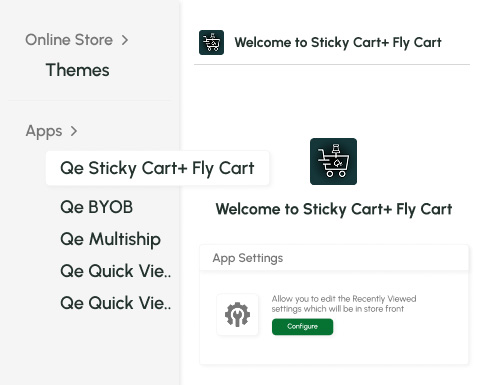
Go to your Shopify Dashboard → Online Store → Themes → click Customize on your active theme.


Explore Our Shopify Apps to Grow Your Store

Build your Own Box

All-In-One bundle builders

Checkout Customization

Elevates Revenue with Slick Slider


Add Festive Seasonal Decorations

Build Your Own App

Fix Broken Links Effortlessly

Boost Sales with Smart Upsells

Enable one click Product Previews

No-code Mobile App Builder

Allowing Shoppers to Compare Items

Ship Items to Multiple Addresses

Create Custom Product Bundles

Add Fly-to-Cart Animations.

Add Dynamic Slide-out cart

Seamless Voice Search Functionality

Customizable Product FAQs

Add to Cart Button Animations

Make purchasing effortless with powerful features like Sticky Cart, Sticky Add to Cart, Add to Cart Bar, Cart Drawer, and Slide Cart, all designed to improve user experience and help customers complete their purchase without friction.


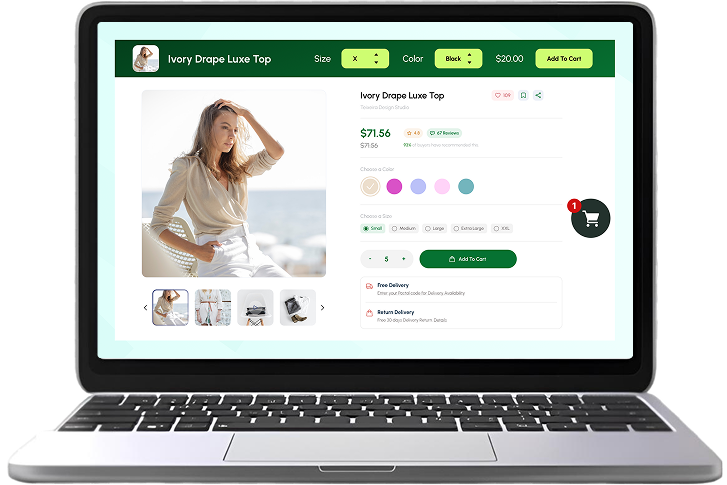






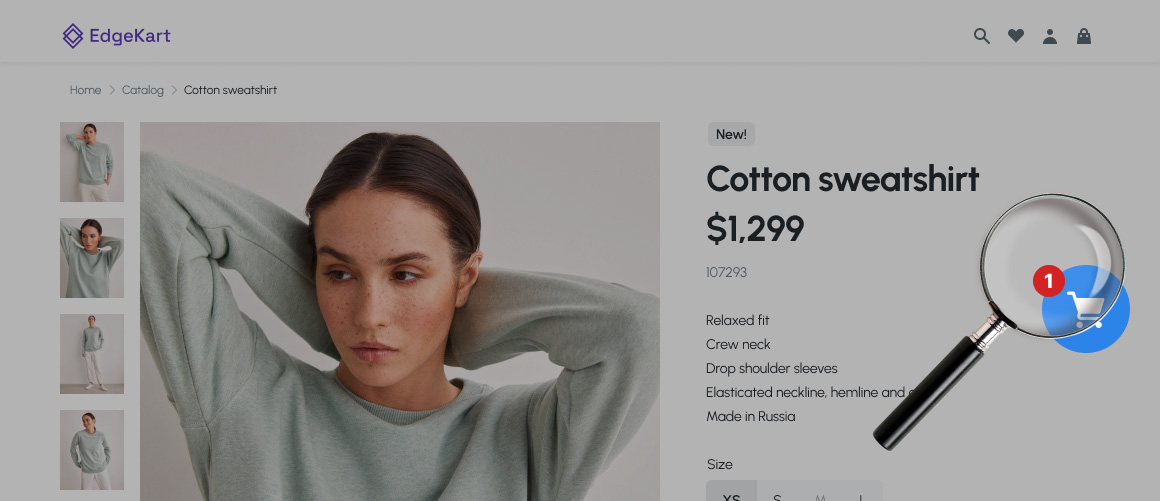
Keep the cart accessible at all times. With Sticky Cart, shoppers can open their cart instantly from any part of the page improving convenience and reducing checkout friction.
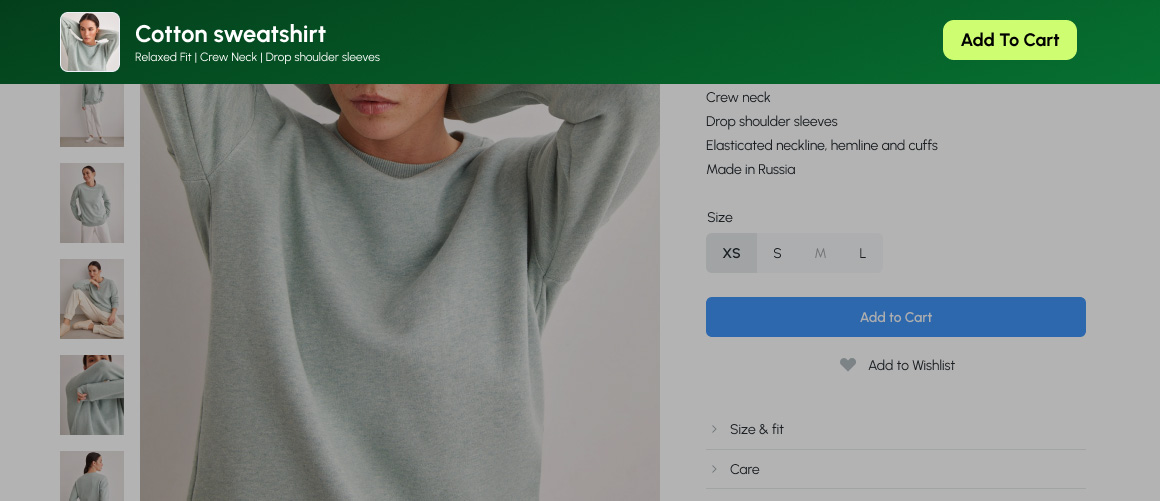
Make your Add to Cart button impossible to miss. The Sticky Add to Cart feature keeps the buying action visible even as the customer scrolls, encouraging faster decisions.
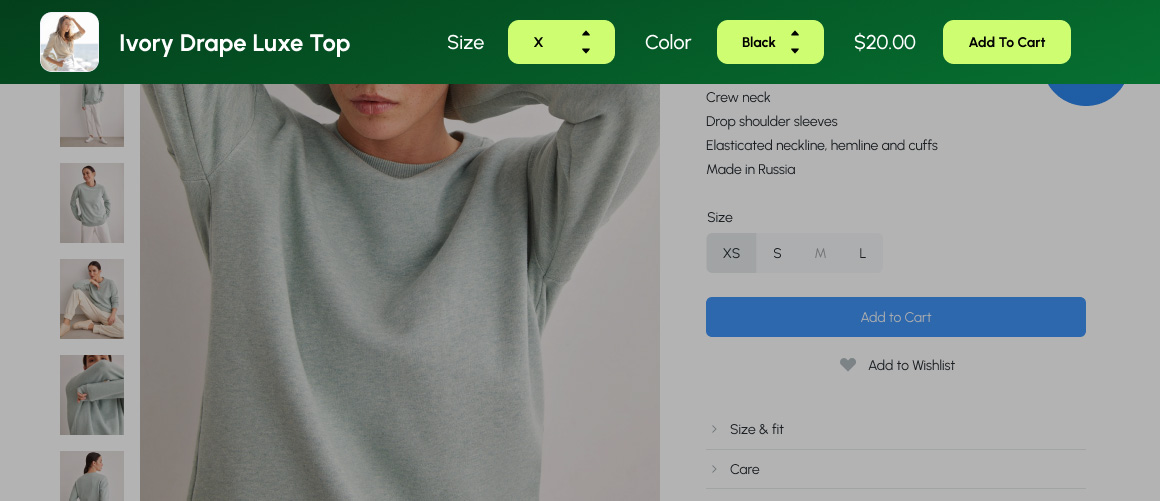
Don’t let customers scroll back up. The Add to Cart Bar appears when needed, allowing users to add products with one tap increasing product page conversions instantly.

Smooth product image animation enhances user experience

Always-visible purchase options reduce drop-offs

Faster checkout flow increases conversions

Zero scrolling needed to add products

Clean, modern cart interactions keep customers engaged

Easy installation and full customization

Set up instantly, no coding required.
Turn ON Sticky Cart, Add to Cart Bar, Slide Cart, or Cart Drawer.
Adjust colours, text, icons, and mobile visibility.
Customers enjoy a smoother checkout journey from the first click.
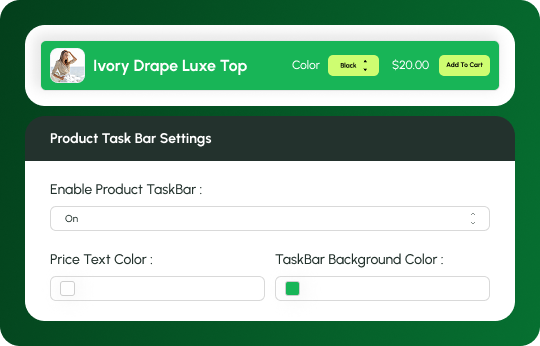
 Enable/disable the product task barChange price text colourChange background colour
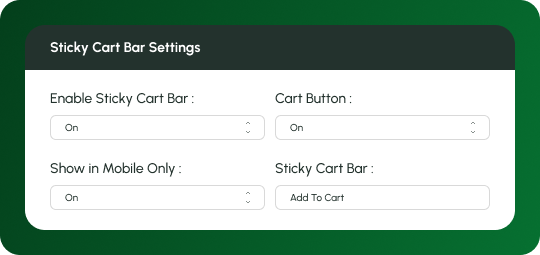
 Turn Sticky Cart bar ON/OFFEnable or disable the entire cart barEnable/disable checkout buttonControl if it appears on mobile or notChange text colourChange background colour
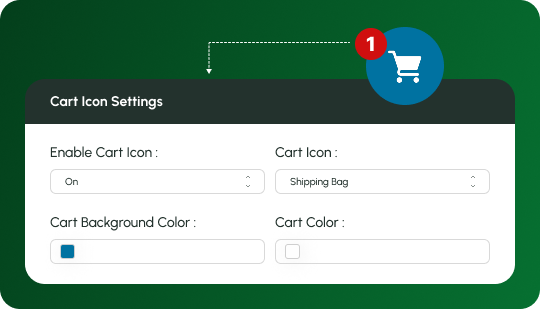
 Turn cart icon ON/OFFChoose from 8 cart icon stylesChange cart icon colourChange icon background colour
 1
1
Go to your Shopify Dashboard → Online Store → Themes → click Customize on your active theme.
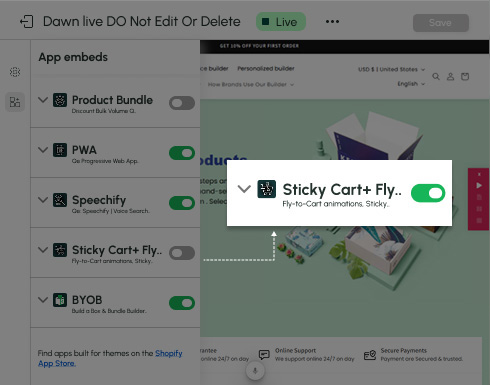
Inside the theme editor, open App embeds → find Sticky Cart + Fly Cart → turn ON the toggle.
 2
2
 3
3
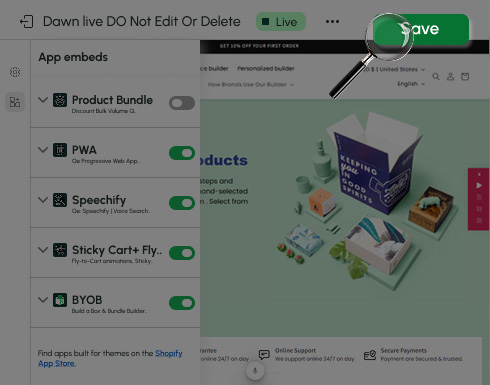
Click Save to apply the changes and activate the app on your store.
Get all features in one simple plan, no confusing tiers or hidden upgrades. Designed to boost engagement and conversions while keeping your store budget-friendly.

 5/5
5/5
“Absolutely amazing, nothing these guys can’t do. They build me a complete new app to my exact spec and didn’t stop till we all agreed it was perfect. Snehal was just a true gentlemen, any questions he took time to just on a video call to discuss things. These guys get 5* from me and I will be back with all future projects. Don’t bother shopping around, you won’t find better than these guys”

Pickle & Bear
United Kingdom
5/5
“Fantastic App and Team! We’ve had an amazing experience working with QeApps. Their app has been a game-changer for our Shopify store, making it more efficient and user-friendly. From the initial setup to the ongoing support, everything has been smooth and professional. The team is incredibly responsive and attentive to our needs...”

Shankara India
India
5/5
“QeApps and specifically Rishab were so thoughtful and patient with me. They took the time to have several video calls to customize the app options specific to the needs for my store. Can't thank them enough.”

Dama Beauty
United States
5/5
"They worked so quickly to fix the issue I was unable to do myself. I have found that a lot of apps do not provide real time support. I am really impressed and glad that I have this app to better my Shopify store."

Simply Care Box
United States

Make your store faster, smoother, and more interactive, with Sticky Cart, Sticky Add to Cart, Add to Cart Bar, Cart Drawer, and Slide Cart all working together to create a better shopping experience.



Can I enable or disable the Sticky Cart?
Can I customize the colours?
Does it work on mobile?
How many cart icon designs are available?
Can I customize the Add to Cart Bar?
We love hearing from you, please drop us a note anytime. Got any questions or suggestions, or just want to know what we can do to improve your eStore?
 [email protected]
 +12097306661
 9th Floor, Solitaire Connect, Near Gallops Motors, SG Highway, Ahmedabad, Gujarat 380015