
- Apps


 Easy Bundle ‑ Product Builder
All-In-One bundle builders
 Qe Slider ‑ Carousel Slider
Elevates Revenue with Slick Slider
 Qe Seasonal Effects & Decor
Add Festive Seasonal Decorations
 Qe Quick Link Redirect
Fix Broken Links Effortlessly
 Qe Frequently Bought Together
Boost Sales with Smart Upsells
 QeApps ‑ Mobile App Builder
No-code Mobile App Builder
 Qe Product Compare
Allowing Shoppers to Compare Items
 Qe Multiship
Ship Items to Multiple Addresses
 Discount Bulk Volume Quantity
Create Custom Product Bundles
 Sticky Cart+ Fly Cart
Add Fly-to-Cart Animations.
 QeCart ‑ Slide Out Cart
Add Dynamic Slide-out cart
 Qe Speechify | Voice Search
Seamless Voice Search Functionality
 Qe FAQ Page & Product FAQs
Customizable Product FAQs
 ATC Button Animation
Add to Cart Button Animations

Explore Our Shopify Apps to Grow Your Store
- Check Our Apps

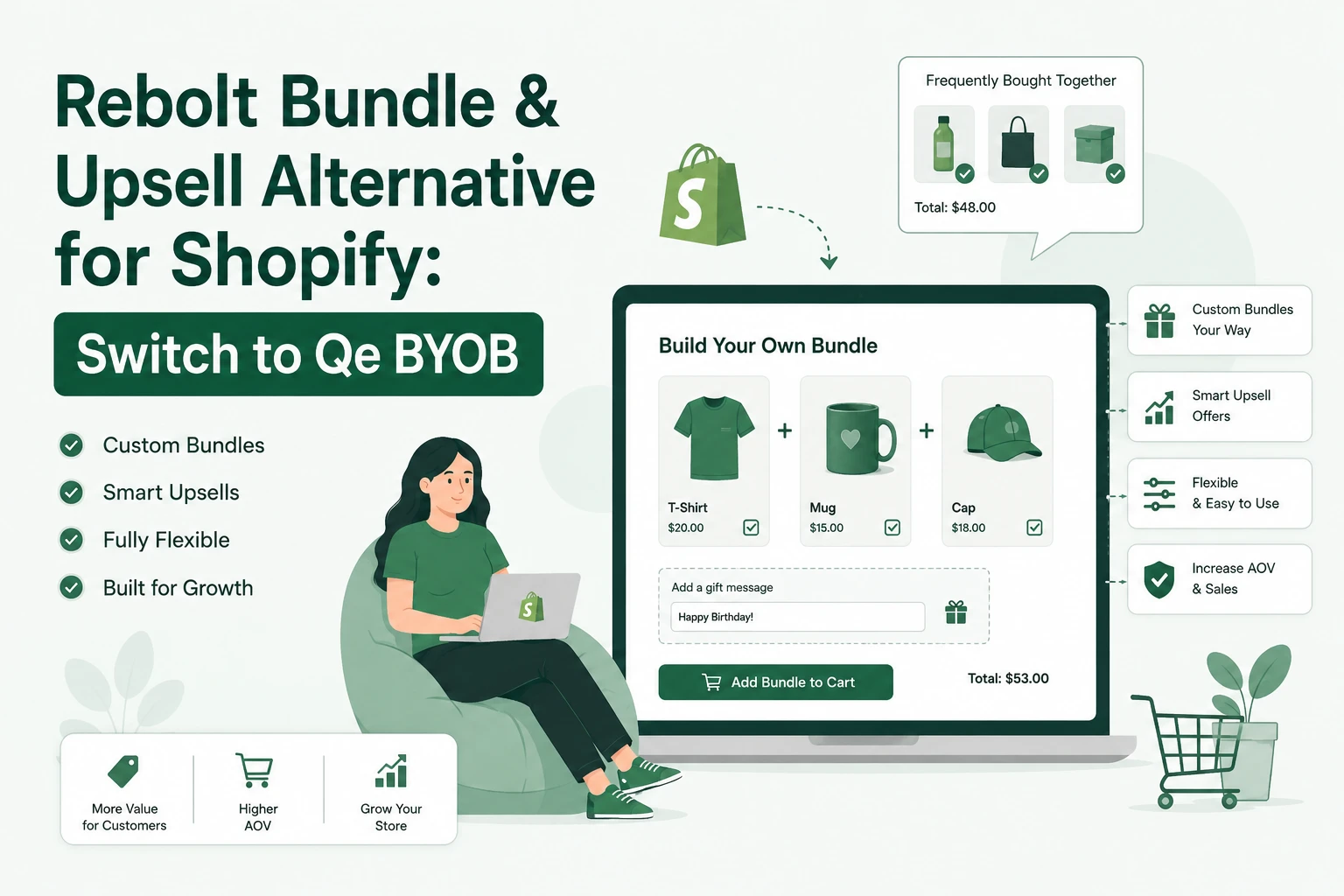
Rebolt has been a popular bundles-and-upsell app – a 4.8 rating across roughly 550 reviews and Shopify’s Built for Shopify badge. So if you were relying on it for build-a-box offers, mix-and-match sets, volume discounts, or frequently bought together upsells, a listing that suddenly reads “unavailable” is unsettling, especially mid-campaign.
This guide does two things. First, the practical part: what to check on your own store right now so a missing app doesn’t quietly cost you conversions. Second, a clear comparison showing why Qe BYOB – Bundle Your Own Bundle Builder is a strong Rebolt alternative for build-a-box and gift bundles. We build Qe BYOB, so treat the comparison as informed but interested, and verify the specifics against each app’s current listing.
First: don’t delete anything yet
When a bundle app goes dark, the instinct is to rip its code out and install a replacement in the same hour. That’s how stores end up with broken carts and orphaned snippets. Slow down for fifteen minutes and do this instead.
• Duplicate your live theme first. A clean backup of the current state is worth more than a “tidied” theme if something looks wrong later.
• Test the buying path. Walk every bundle page, add-to-cart, cart drawer, discount code, and checkout on both mobile and desktop. Note exactly what’s broken versus what still works.
• Pause ads pointing at broken bundle URLs. Redirect that traffic to a working product or collection page until your bundle flow passes a full test order. Paying for clicks that hit a dead offer is the most expensive part of any app outage.
• Check the app’s state in admin. In Settings → Apps, review install status, permissions and recent activity. This tells you whether the app is merely delisted or fully disconnected from your store.
• Audit – don’t blindly delete – leftover code. On the duplicated theme, look for app snippets or blocks that remain. Confirm what still runs before removing anything, and document each change.
Only once you know what’s actually broken should you choose a replacement. That way you migrate deliberately instead of reacting.
What to look for in a Rebolt alternative
“Bundle app” covers a wide range of jobs. Before switching, be clear about which one you actually need – because the best replacement depends on it.
• Curated / build-your-own-box: customers assemble a gift box or set from options you define. This is a guided builder job.
• Fixed & mix-and-match bundles: pre-set combos or “pick any 3 for a price.”
• Volume & quantity discounts: buy-more-save-more tiers.
• Upsell funnels: cart-drawer, checkout and post-purchase offers, plus frequently-bought-together recommendations.
A specialised builder usually gives you a better experience here than a broad all-rounder – the box-building flow is the whole product, not one feature among many. And for the adjacent jobs (upsells, frequently bought together, volume discounts), the wider QeApps suite has dedicated tools, so you can cover the full funnel under one team.
Rebolt vs Qe BYOB, at a glance
Qe BYOB is a specialised bundle & gift-box builder. It’s the closest match for merchants who used Rebolt to let customers build their own box, mix and match, or buy curated bundles – and it goes deeper on the builder experience than a general upsell app does. Here’s a fair side-by-side.
| Capability | Rebolt Bundle & Upsell | Qe BYOB – Bundle Gift Box Builder |
| Best suited for | Broad bundles + upsell AOV toolkit | Build-your-own-box, gift & curated bundle experiences |
| Build-a-box / mix & match | Yes | Yes – core focus, multi-step guided builders |
| Fixed-price & combo bundles | Yes | Yes |
| Quantity/volume discounts | Yes | Yes (quantity, product & cart discounts) |
| Gift-box personalisation (messages, product personalisation) | Limited | Yes – incl. gift notes, audio/video message, product personalisation |
| Show builder on product pages | Varies | Yes |
| Post-purchase / checkout / cart-drawer upsells | Yes | Yes – via the QeApps suite |
| Frequently Bought Together | Yes | Yes – dedicated Qe FBT app |
| Multi-language & multi-currency | Varies by plan | Yes (Enterprise plan) |
| Built for Shopify badge | Yes | Yes |
| Rating / reviews | 4.8 · ~550 reviews | 5.0 · 300+ reviews |
| Support model | Chat / email | Human support + 1:1 onboarding; dedicated success manager on Enterprise |
| Pricing | Free to install; paid from ~$14.99/mo | $19 / $39 / $59 per month |
| Free trial | Yes | 14-day free trial |
Feature comparison as of July 2026. Verify current details on each app’s Shopify App Store listing before deciding.
The takeaway: for build-your-own-box, mix-and-match and curated bundles, Qe BYOB is a direct – and arguably richer – replacement. And because the wider QeApps suite covers the adjacent jobs (Frequently Bought Together, Easy Bundle, volume discounts), you can run your whole bundle-and-upsell stack with one team behind it.
Why merchants pick Qe Build Your Own Bundle Builder for the builder experience
Where a general bundles app treats “build a box” as one feature among many, Qe BYOB treats it as the whole product. That shows up in a few places that matter for gifting and curated-box brands:
• Personalised gift boxes done properly. Customers hand-pick products for holidays, corporate gifting or special occasions, with gift notes, product personalisation, and even audio/video messages attached to the box.
• Flexible pricing built for AOV. Fixed pricing for pre-set boxes, percentage or flat-rate discounts, and dynamic pricing for custom selections – so bigger baskets feel like a better deal, not a penalty.
• Guided, multi-step builders you can surface on product pages, matched to your theme so the box builder feels native rather than bolted on.
• Support that actually shows up. Merchants repeatedly cite fast, hands-on help with setup and theme fixes – the difference between a stalled launch and a live one when you’re mid-migration.
The track record backs the positioning: Qe BYOB powers 10,000+ Shopify stores and has helped merchants like Baiabox lift average order value by around 79%. Those are the store’s numbers, not a guarantee for yours – but they show the builder holds up at scale.

How to switch without breaking your store
1. Back up. Duplicate your live theme before touching anything.
2. Install Qe BYOB and rebuild your offers. Bundle configurations never transfer automatically between apps, so recreate your builders. Onboarding can do this with you.
3. Test a full order. Verify pricing, discounts, cart and checkout on mobile and desktop before going live.
4. Clean up the old app’s code carefully. Remove leftover snippets only after confirming the new builder works and nothing else depends on them.
5. Re-point your ads. Send campaigns back to the rebuilt bundle pages once they pass testing.
Frequently asked questions
Is Rebolt Bundle & Upsell removed from the Shopify App Store?
As of late July 2026, the Rebolt listing is showing as unavailable on the Shopify App Store in some regions, while the developer’s own website stays live. Shopify hasn’t published a reason and no security incident has been announced. Treat it as temporarily unavailable rather than assuming permanent removal, and check the App Store directly for the current status.
What’s the best alternative to Rebolt for build-a-box and gift bundles?
For merchants who used Rebolt mainly for build-your-own-box, mix-and-match and curated gift bundles, Qe BYOB – Bundle Gift Box Builder is a strong, specialised replacement: guided multi-step builders, gift-box personalisation, flexible discounts, multi-language and multi-currency support, and hands-on onboarding. It carries a 4.9 rating with 300+ reviews and the Built for Shopify badge.
Will my bundles transfer automatically if I switch apps?
No. Bundle configurations don’t carry over between different apps. You rebuild them in the new app and then remove leftover code from the old one. Qe BYOB includes 1:1 onboarding on paid plans to set up your builders and match your theme quickly.
Should I delete Rebolt’s leftover code from my theme?
Not blindly. Duplicate your theme first, find any snippets or blocks the app added, confirm what still runs, and test cart and checkout with each change disabled. If you might reinstall the same app later, removing its integration files can make recovery harder.
Does Qe BYOB handle upsells and frequently-bought-together like Rebolt?
Yes – across the QeApps suite. Qe BYOB delivers the bundle and gift-box builder experience with in-builder add-ons, and dedicated QeApps tools handle cart, checkout and post-purchase upsells plus a standalone Frequently Bought Together widget. Together they cover the full funnel under one team.
Related Blogs



 [email protected]
 +91 95747 42204
 9th Floor, Solitaire Connect, Near Gallops Motors, SG Highway, Ahmedabad, Gujarat 380015


