
- Apps


 Easy Bundle ‑ Product Builder
All-In-One bundle builders
 Qe Slider ‑ Carousel Slider
Elevates Revenue with Slick Slider
 Qe Seasonal Effects & Decor
Add Festive Seasonal Decorations
 Qe Quick Link Redirect
Fix Broken Links Effortlessly
 Qe Frequently Bought Together
Boost Sales with Smart Upsells
 QeApps ‑ Mobile App Builder
No-code Mobile App Builder
 Qe Product Compare
Allowing Shoppers to Compare Items
 Discount Bulk Volume Quantity
Create Custom Product Bundles
 Sticky Cart+ Fly Cart
Add Fly-to-Cart Animations.
 QeCart ‑ Slide Out Cart
Add Dynamic Slide-out cart
 Qe Speechify | Voice Search
Seamless Voice Search Functionality
 Qe FAQ Page & Product FAQs
Customizable Product FAQs
 ATC Button Animation
Add to Cart Button Animations

Explore Our Shopify Apps to Grow Your Store
- Check Our Apps


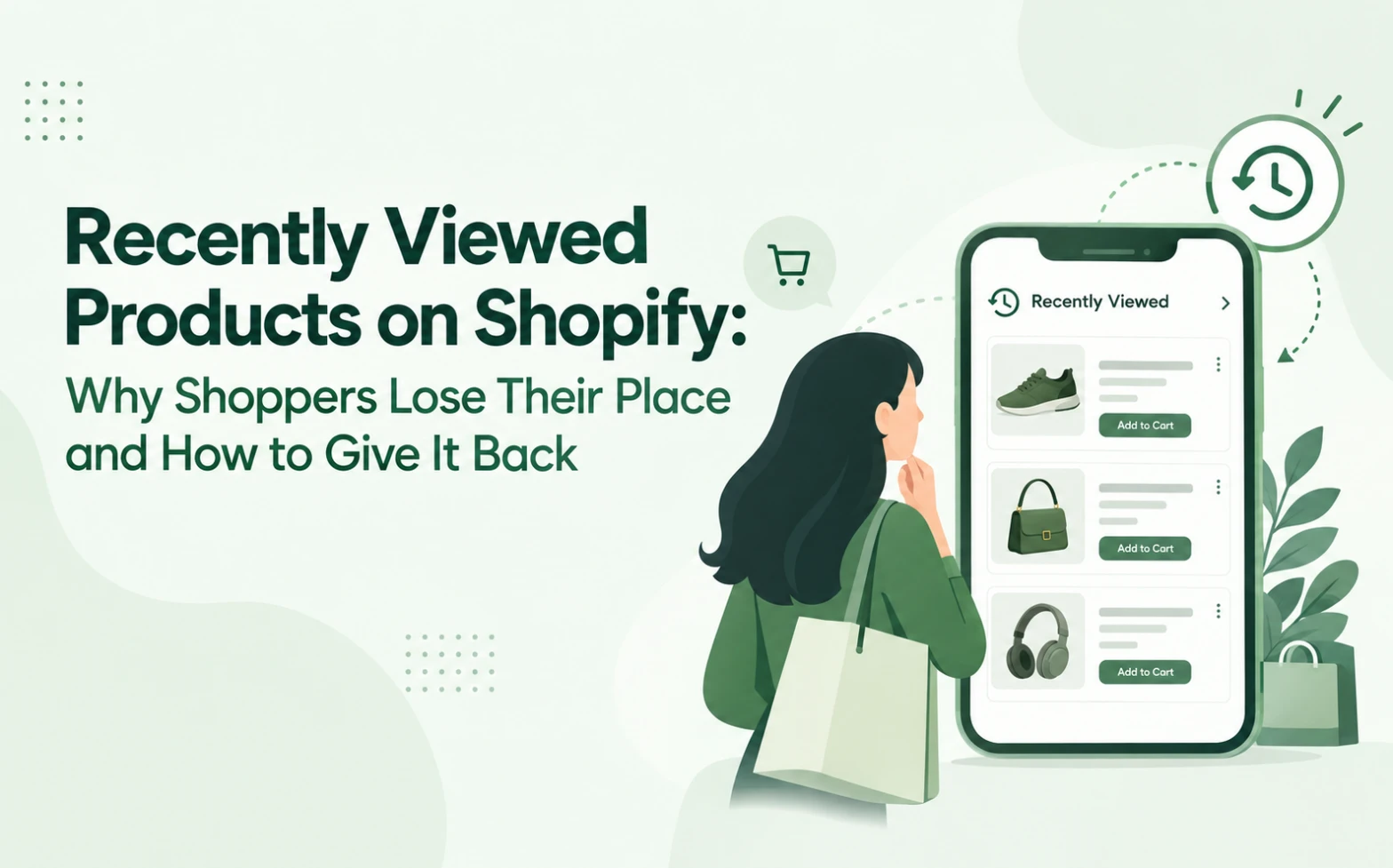
Plenty of Shopify sessions end with five product views and no order. Analytics files them under “no purchase”, but many of those shoppers plan to return. When they do, they often cannot remember which collection held the jacket they liked. A recently viewed products Shopify widget closes that gap by showing returning shoppers the items they already chose to open.
That changes how you read a session without a sale. The shopper may not have lost interest. Your store may simply have lost their browsing context.
The Intent Is Still There, But the Path Is Gone
Shoppers rarely buy on a first visit. They compare products, check sizes, read reviews and open a few tabs. Then something interrupts them. Days later they return, and the route they took has vanished.
It helps to separate two problems:
- Lost interest: the shopper decided the product was wrong and moved on. No storefront feature should fight that.
- Lost context: the shopper still wants the product but cannot find it quickly. This one is recoverable.
Your dashboard cannot tell them apart. Both appear as product views with no order. Only the second is something a store can fix.
The effort of retracing a path matters more than it seems. In Attentive’s 2026 personalisation survey of 1,050 shoppers across the US, UK and Australia, 70% said they feel overwhelmed, uncertain, or that it takes too long to find an option they like online. When shoppers feel this way, 21% give up on purchasing completely. Hunting for a product they already found once adds to that load.
What Do Recently Viewed Products Actually Recover?
Recently viewed products on Shopify help shoppers return to items they have already browsed, without repeating the original search. The widget tracks the product pages a visitor opens, then displays them again in a slider or section.
What it recovers is browsing intent. Browsing intent is the interest a shopper shows through the products they open, compare and revisit, even when they do not buy. The shopper can only use that signal if the store shows it back to them.
Three things come back with it:
- Continuity: a returning shopper starts where they stopped.
- Comparison: earlier options stay one tap away.
- Less navigation effort: nobody has to rebuild a journey from memory.
The same survey points in this direction. Attentive found that 74% of shoppers are more likely to purchase when a brand helps them pick up where they left off, and it names recently viewed items as one example. That is survey data, so treat it as a signal and not a promise for any single store.
To see this on a live storefront, open the Qe Recently Viewed demo store.
Recently Viewed vs Product Recommendations
Both features support product discovery, but they answer different questions. Recently viewed asks, “What did I already look at?” Recommendations ask, “What else might I like?”
The difference is certainty versus prediction. A recommendation engine estimates what a shopper may want. A recently viewed section estimates nothing. It simply repeats back what the shopper chose.
Neither one replaces the other. Recommendations suit exploration, while recently viewed products help shoppers find something they already cared enough to open. Shoppers weighing similar items may also value a side-by-side product comparison, which solves a related decision problem.
Where Does the Widget Help Most in the Shopping Journey?
Placement decides which problem the section solves.
Product pages
Here the widget supports comparison. A shopper choosing between three similar sofas can glance at the other two without leaving the page.
Homepage
Here it works as a re-entry point. A returning visitor sees their own history on arrival. That helps Shopify repeat customers too, because a second visit should feel easier than the first.
Collection pages
Here it keeps context. While a shopper scans a long list of new items, earlier favourites stay in view.
Why Does This Matter More on Mobile and Large Catalogues?
On a phone, retracing a journey is slow. Screens are small, so shoppers see fewer products at once. They scroll with a thumb, tap back, land on a reloaded collection, and lose their place.
Large catalogues make this worse. With hundreds of products across many collections, “I’ll find it again later” becomes unrealistic.
A recently viewed slider shrinks that loop to one swipe. If your shoppers mostly return from phones, it also pairs well with a Shopify PWA, which gives mobile shoppers an app-like way back into the store.
What Should You Look for in a Recently Viewed Products App?
A good recently viewed products app should do a few specific jobs. Use this checklist, whichever app you choose:
- A responsive layout that stays clear on small screens
- Fast loading, so product pages do not slow down
- Theme compatibility, including fonts and colours
- No-code setup through the Shopify Theme Editor
- Placement on the homepage, collection pages and product pages
- Variant selection and add-to-cart without leaving the page
- Clear product cards with image, title and price
- Control over the slider title, image size and number of items
- Reliable support
- Built for Shopify status, which shows an app meets Shopify’s standards for performance, design and integration
See the benefits of a Built for Shopify recently viewed app.
How Does Qe Recently Viewed Turn Browsing History Into a Better Storefront?
Qe Recently Viewed, built by QeApps, works as a rediscovery layer. It complements search and recommendations, and it replaces neither. Each feature answers one shopper problem:
- The responsive carousel fixes lost products. Shoppers see what they opened in a mobile-friendly slider.
- The quick drawer removes extra clicks. Shoppers pick a variant and add to cart without leaving the page.
- Promotional badges reduce hesitation. A discount badge highlights an offer on a product they already considered.
- Customisation settings protect your brand. You can change the slider title, colours, image size, display range and slider type.
You can also add an optional Best Seller section beside the carousel. The app holds the Built for Shopify badge. Pricing starts with a 7-day free trial, and the Premium plan then costs $4.99 a month or $49.99 a year, with 24/7 email support.
Compare the full feature list on the Qe Recently Viewed product page before you decide.
How to Add Recently Viewed Products to Shopify
Setup takes a few minutes in the Theme Editor:
1. Install Qe Recently Viewed from the Shopify App Store.
2. In Shopify admin, go to Online Store, then Themes, and click Customize.
3. Open App Embeds, turn on Qe Recently Viewed, and click Save. It then appears on product pages automatically.
4. For the homepage or a collection page, choose Add section, then Apps, then Qe Recently Viewed. Drag it into position and save.
5. Adjust the title, colours, image size and display range.
6. Browse two or three products first, because the widget needs viewed items to display, then preview your store.
When Does a Recently Viewed Widget Make the Most Sense?
It is not equally valuable for every store. The use case is strongest where shoppers look at several items before choosing:
- Fashion, beauty and accessories: shoppers compare styles, shades and sizes.
- Home and furniture: decisions often span more than one session.
- Electronics: shoppers check specifications across similar models.
- Large catalogues: products are hard to find a second time.
The value is lower on a store with a handful of products, where everything already sits on one page.
A Small Fix for a Common Gap
Shoppers already tell you what they want through the products they open. Making them search again is a gap you can close without a campaign or a discount.
If that sounds like your store, try Qe Recently Viewed from the Shopify App Store and watch how returning shoppers move through your catalogue.
Frequently Asked Questions
Q.1 What are recently viewed products on Shopify?
They are a storefront section that shows shoppers the products they have already opened, so they can return to those items without searching again.
Q.2 Do recently viewed products improve product discovery?
They help shoppers rediscover products they already explored, which supports discovery for returning visitors. Results vary by store, so no app can promise a fixed uplift.
Q.3 What is the difference between recently viewed and recommended products?
Recently viewed products show what a shopper has already looked at. Recommended products suggest items they have not seen yet.
Q.4 Can I add recently viewed products to Shopify without coding?
Yes. Qe Recently Viewed installs through the Shopify Theme Editor and needs no code.
Q.5 Is Qe Recently Viewed mobile-friendly?
Yes. It uses a responsive layout and a mobile-friendly slider, so it adapts to phones, tablets and desktops.
Related Blogs




 [email protected]
 +91 95747 42204
 9th Floor, Solitaire Connect, Near Gallops Motors, SG Highway, Ahmedabad, Gujarat 380015


