
- Apps


 Easy Bundle ‑ Product Builder
All-In-One bundle builders
 Qe Slider ‑ Carousel Slider
Elevates Revenue with Slick Slider
 Qe Seasonal Effects & Decor
Add Festive Seasonal Decorations
 Qe Quick Link Redirect
Fix Broken Links Effortlessly
 Qe Frequently Bought Together
Boost Sales with Smart Upsells
 QeApps ‑ Mobile App Builder
No-code Mobile App Builder
 Qe Product Compare
Allowing Shoppers to Compare Items
 Discount Bulk Volume Quantity
Create Custom Product Bundles
 Sticky Cart+ Fly Cart
Add Fly-to-Cart Animations.
 QeCart ‑ Slide Out Cart
Add Dynamic Slide-out cart
 Qe Speechify | Voice Search
Seamless Voice Search Functionality
 Qe FAQ Page & Product FAQs
Customizable Product FAQs
 ATC Button Animation
Add to Cart Button Animations
 Qe CountDown Timer
Create Urgency With Timers
 Qe Auto Gift Add-on
Add Free Gifts Automatically
 Qe Custom Reports – Exporter
Export Custom Store Reports
 Qe Ai SEO
Generate SEO-Ready Blog Posts
 Qe AI Content Generator
Create SEO-Friendly Content
 AI CRO Find Fix Revenue Leaks
Find and Fix Conversion Leaks
 Qe Cart Upsell
Increase Sales With Upsells

Explore Our Shopify Apps to Grow Your Store
- Check Our Apps

Gift Smarter. Reward Faster. Sell More With Qe: Auto Gift Add-on
Add free gifts to the cart by cart value, product or collection, or let shoppers choose their own. Raise order value and give every qualifying order a reward.


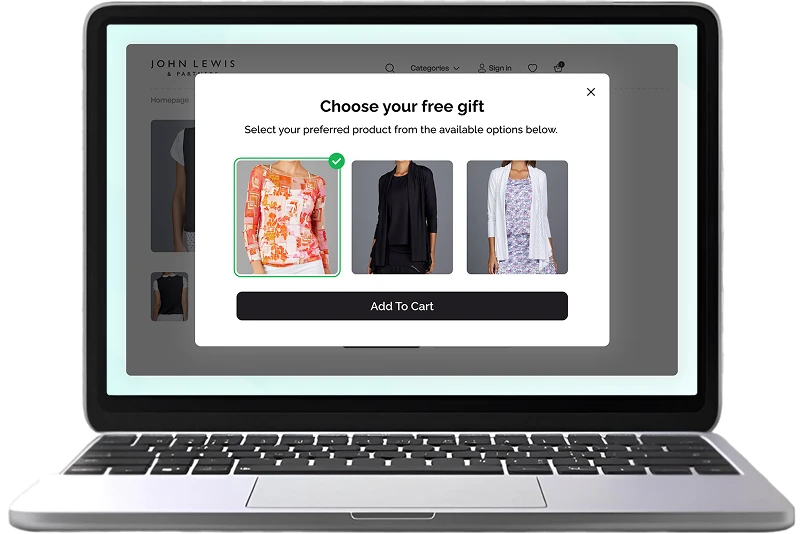
Why Automatic Gifts Make Every Order Feel Worth More
When shoppers see a reward in the cart, everything gets simpler:
They see the reward
They know what to
add.
They check out with
something extra.
The Shopify Auto Gift Add-on suits stores that want to lift order value, introduce new products or run timed promotions.
Key Features
Everything you need to run gift campaigns from one dashboard.
Flexible Trigger Conditions
- Cart value, product, product tags or collection
- Minimum and optional upper threshold
- Minimum and optional upper threshold
- Customer tags and locations are supported too.
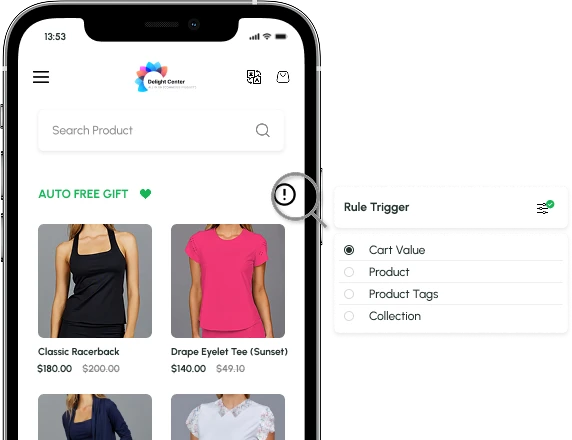
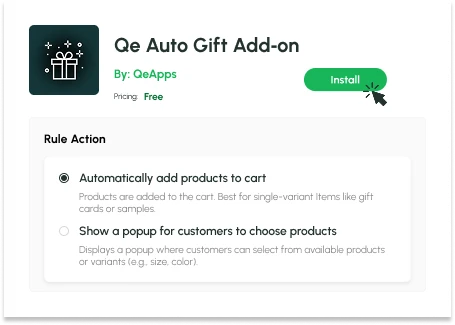
Automatic Gift or Choice Popup
- Add the gift to the cart automatically
- Or show a popup to choose a product or variant
- Customise the popup content and design
- Ideal for stores with sizes, colours or several gift options.
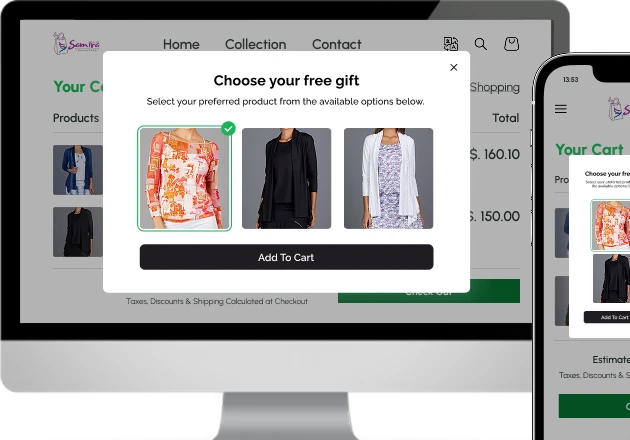
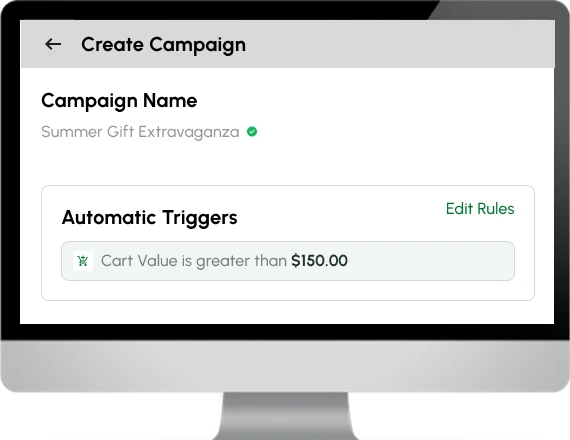
Simple Campaign Setup
- Name the campaign, set the trigger, pick the gift and variant
- Edit rules any time
- Run several campaigns at once
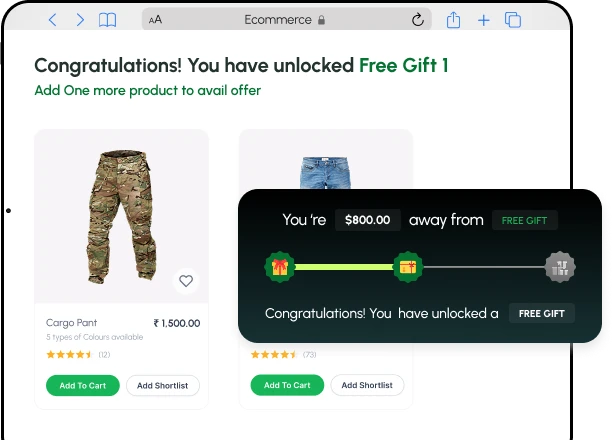
Tiered Rewards
- Multiple spending goals, each with its own gift
- A progress bar shows the next reward
- Add another tier whenever you need one
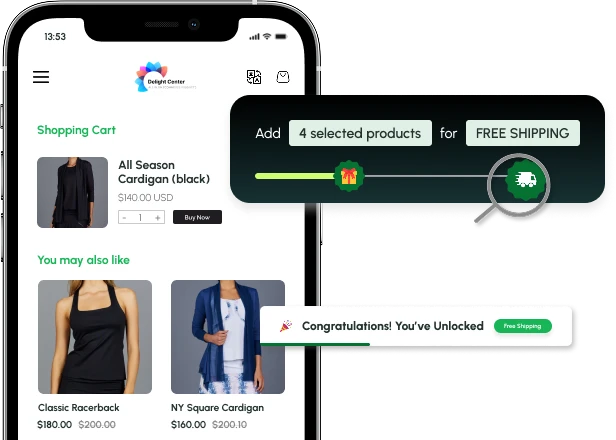
Free Shipping Goals
- Choose which products qualify
- Progress bar shown in the cart
- Applied automatically at checkout
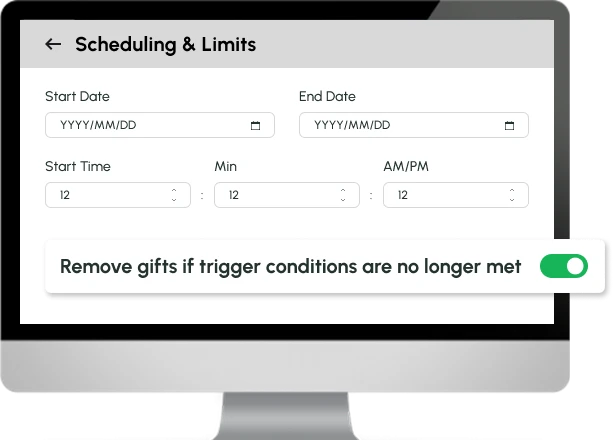
Scheduling and Rule Controls
- Set start and end dates
- Remove gifts if trigger conditions are no longer met
- Run a rule once per session
Four Ways to Use the Gift Add-on
Lift basket
size
A free tote bag over a set cart value

Introduce a new
product
A sample with a chosen item

Reward a
collection
A gift for buying from one range

Run a seasonal
offer
A scheduled gift for a festive weekend

Automatic Gift or Popup: Which to Choose?
|
Automatic Gift
|
Choice PopUp
|
|||
|---|---|---|---|---|
|
What happens
|
Gift is added to the cart |
Shopper picks from your gifts | ||
|
Best for
|
Gift cards, samples, single-variant items |
Sizes, colours or several gift options | ||
|
Shopper Effort
|
None |
One click | ||
|
Example
|
Free sample over $50 |
Choose a tote, serum or voucher | ||
Why Stores Choose Qe Auto Gift Add-on
Benefits you'll love, from the first campaign onwards.
Higher Order Value
Targeted thresholds encourage shoppers to add more to reach a reward.
Clear Rewards
Gifts and progress bars show shoppers exactly what they are working towards.
Shopper Choice
A popup lets customers pick the gift, size or colour they actually want.
Timed Promotions
Set start and end dates for sales, launches and seasonal offers.
Several Campaigns
Run different gift rules side by side, each with its own conditions.
Repeat Purchases
Reward customers by tags, locations & purchase criteria to bring them back.
- Free to install
- Automatic gifts or shopper choice
- Works with Shopify Checkout
A Simple Workflow, Ready in Minutes
STEP 1
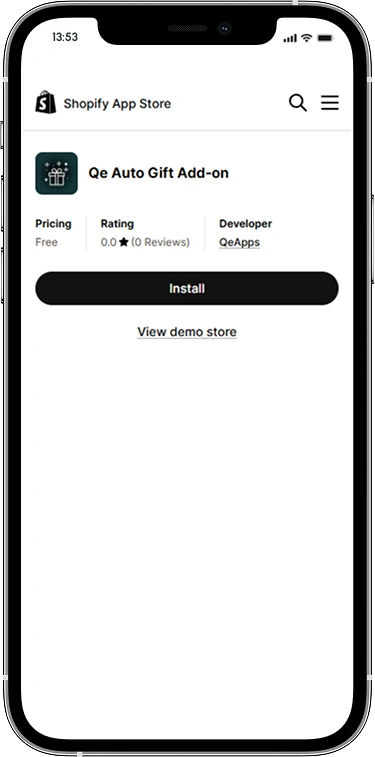
Install the App
Add Qe Auto Gift Add-on from the Shopify App Store.
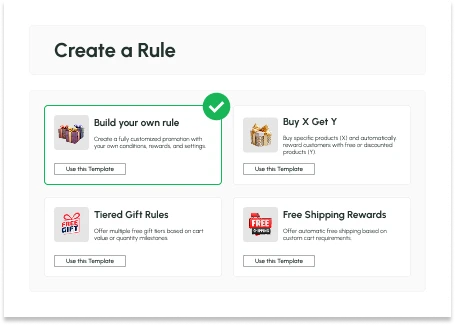
STEP 2
Set Your Rule
Name the campaign, choose a trigger and pick the gift product.
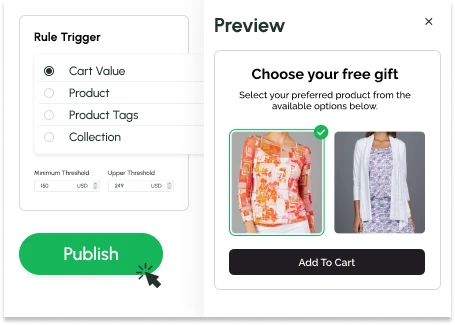
STEP 3
Publish
Add the gift automatically or show the popup, set your dates and go live.
A Gift Add-on for Every Kind of Store
Whatever you sell, a well-chosen gift gives shoppers a reason to add one more item.


Fitness &
Supplements
A shaker or sample pack on bigger baskets
Home &
Lifestyle
A small accessory for one range
Grocery &
Essentials
A free item once the cart passes your goal
Beauty &
Cosmetics
A mini sample with a chosen product

Jewellery &
Accessories
A gift pouch or box on selected collections
Fashion and
Apparel
A free tote bag over a set cart value
Gifts &
Hampers
A seasonal add-on on festive orders
Subscription &
Repeat-Purchase
A thank-you gift for returning customers


Qe Auto Gift Add-on vs Manual Gift Offers
With Qe Auto Gift Add-on
- Gift is added or offered automatically
- Shoppers can choose their own gift in a popup
- Rules by cart value, product, tag or collection
- Tiered rewards with a progress bar
- Start and end dates for each campaign
- Gift removed if the cart stops qualifying
With manual gift offers
- Shoppers must remember a code
- One fixed gift for everyone
- Offers are hard to target
- No clear goal for the shopper
- Offers switched on and off by hand
- Gift can stay after items are removed
Reward Every Qualifying Order
Give shoppers a reason to add one more item, and reward every order that earns it.
Qe Auto Gift Add-on turns your cart into a reward experience. Set a rule, choose a gift and let the Gift Add-on add it automatically or offer it in a popup. You only pay for the gifts you choose to offer.
Monthly Plan
$0/Month
- Multiple gift campaigns
- Automatic gifts and popup rewards
- Flexible trigger rules
- Tiered rewards and free shipping goals
- Scheduled campaigns
- Works with Shopify Checkout

Frequently Asked Questions
How do I add a free gift with purchase in Shopify?
Install Qe Auto Gift Add-on, create a campaign, choose a trigger such as cart value, product, tag or collection, and pick the gift product. The Gift Add-on then adds the gift to the cart or shows a popup whenever a customer meets your rule.
Is there a free Shopify app for gift with purchase?
Yes. Qe Auto Gift Add-on is free to install from the Shopify App Store. You only pay for the gift products you choose to offer.
Can customers choose their own free gift?
Yes. Set the rule action to show a popup, and shoppers pick from the gift products or variants you make available, such as a size or colour. For single-variant items like gift cards or samples, you can add the gift to the cart automatically instead.
What can trigger a free gift with the Shopify Auto Gift Add-on?
Cart value, specific products, product tags and collections. You can set a minimum and an optional upper threshold, exclude products from the cart total, and use customer tags and locations as conditions. Each campaign can also have start and end dates.
What happens if a customer removes items after the gift is added?
With "Remove added products when trigger conditions are no longer met" switched on, the gift is removed automatically so the offer stays fair. You can also run a rule only once per session.
Let’s Get in Touch Us
We love hearing from you, please drop us a note anytime. Got any questions or suggestions, or just want to know what we can do to improve your eStore?


 [email protected]
 +91 95747 42204
 9th Floor, Solitaire Connect, Near Gallops Motors, SG Highway, Ahmedabad, Gujarat 380015


