
- Apps


 Easy Bundle ‑ Product Builder
All-In-One bundle builders
 Qe Slider ‑ Carousel Slider
Elevates Revenue with Slick Slider
 Qe Seasonal Effects & Decor
Add Festive Seasonal Decorations
 Qe Quick Link Redirect
Fix Broken Links Effortlessly
 Qe Frequently Bought Together
Boost Sales with Smart Upsells
 QeApps ‑ Mobile App Builder
No-code Mobile App Builder
 Qe Product Compare
Allowing Shoppers to Compare Items
 Discount Bulk Volume Quantity
Create Custom Product Bundles
 Sticky Cart+ Fly Cart
Add Fly-to-Cart Animations.
 QeCart ‑ Slide Out Cart
Add Dynamic Slide-out cart
 Qe Speechify | Voice Search
Seamless Voice Search Functionality
 Qe FAQ Page & Product FAQs
Customizable Product FAQs
 ATC Button Animation
Add to Cart Button Animations

Explore Our Shopify Apps to Grow Your Store
- Check Our Apps


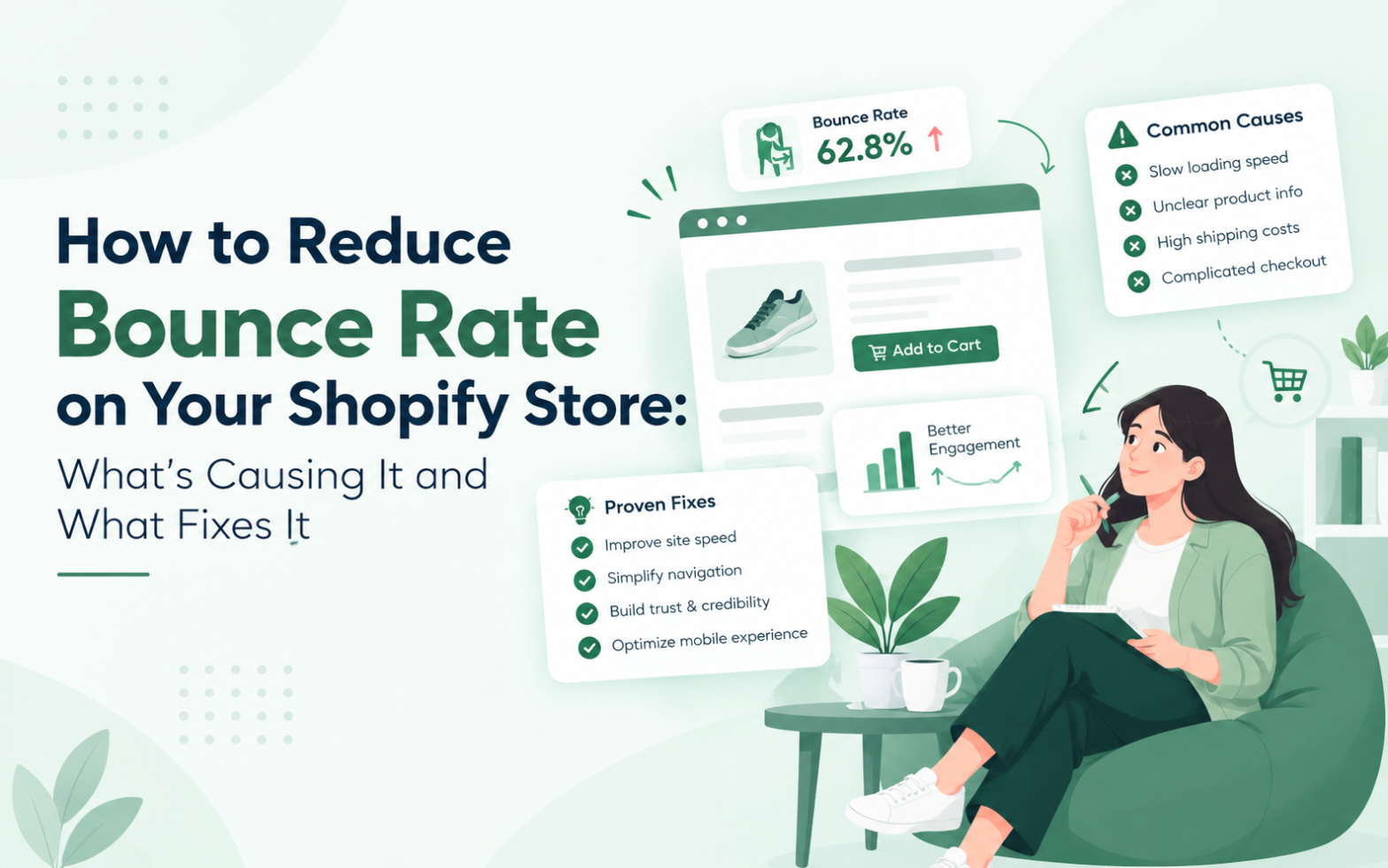
A shopper clicks your advert, waits for the page to load, glances at the screen, and leaves. Your analytics logs a visit, but nothing else happens. Learning how to reduce bounce rate on Shopify starts with understanding why that visit ended so quickly.
A high bounce rate is a signal to investigate, not proof that your store is failing. The right fix depends on why visitors leave and which landing page they entered through. So diagnose first, then fix.
What Is Bounce Rate on Shopify?
Bounce rate is the percentage of visits that end without meaningful engagement. Tools define it differently.
In Google Analytics 4 (GA4), a bounce is a session that was not engaged. According to Google Analytics Help, bounce rate is the opposite of engagement rate. An engaged session lasts longer than 10 seconds by default, includes a key event such as a purchase, or has at least two page or screen views. Older Universal Analytics counted any single-page visit as a bounce, so old benchmarks do not apply.
A single-page visit is not always a poor one. A shopper who opens your returns policy, finds the answer, and leaves has been served well. So no universal “good” bounce rate suits every store. Your best benchmark is your own history, split by page type and traffic source.
Why Is Your Shopify Store Getting a High Bounce Rate?
Most high bounce rates trace back to a handful of causes:
- Message mismatch. An advert promises a blue summer dress, but the link opens a general collection page.
- Slow mobile pages. Heavy images and scripts delay the first screen.
- Missing answers. Shoppers cannot quickly find the price, delivery time or returns policy.
- Hard-to-follow navigation. Baymard Institute’s 2026 benchmark found that 65% of leading mobile ecommerce sites have mediocre or poor homepage and category navigation, based on 180+ top US and European retailers. Smaller stores should not assume they are exempt.
- Obstructive layouts. Pop-ups that cover the screen make mobile browsing frustrating.
- Broken links and tracking errors. A removed product that leads to a 404 page ends a visit instantly. A misfiring analytics tag can also inflate the figure without any real visitor problem.
Quick Insight
A bounce is a result, not a reason. Two stores with the same bounce rate can have completely different problems.
How to Find What Is Causing Your Bounce Rate
Investigate before you change anything, because a store-wide average hides the pages that need attention.
1. Compare landing pages. Customise the GA4 Pages and screens report to show bounce rate and engagement rate.
2. Segment your traffic. Split results by device, acquisition channel and landing page. One weak channel points to message mismatch.
3. Test speed and mobile usability. Open key pages on a real phone using mobile data, then run them through Google Page Speed Insights.
4. Watch real sessions. Where privacy-compliant, recordings and heatmaps show where shoppers hesitate.
5. Check your tracking. Confirm that key events fire correctly. Changing a key event’s definition also changes which sessions count as engaged.
Then tell the causes apart. One weak channel suggests traffic intentWeak mobile results everywhere suggest speed or layout. An overnight jump with steady sales suggests tracking.
Quick Insight
Start with your highest-traffic landing pages, not your highest bounce rates. A 90% rate on a page with ten visits matters far less than 60% on your best-selling collection.
How to Reduce Bounce Rate on Shopify: Fixes Matched to Each Cause
Apply fixes in the order your diagnosis supports.
Match the landing page to the promise. Send each advert to the product or collection it features, and echo its headline and offer.
Lighten mobile pages. Compress images, remove unused apps and scripts, and keep the first screen simple.
Put key answers where shoppers look. Show price, delivery estimates and returns information near the buy button. For recurring questions, Qe FAQ Page & Product FAQs adds a store-wide FAQ page and product-level questions and answers.
Simplify navigation. Let shoppers view everything in a category. Baymard’s 2026 mobile benchmark found that 42% of mobile sites do not offer a “View All” option at each level of the product catalogue, which can leave shoppers stuck in narrow subcategories.
Use one clear call to action. Match the button to intent, such as “Shop the collection” for browsers.
Build trust and tame pop-ups. State shipping costs early, show genuine reviews and delay pop-ups.
Repair broken links. Redirect removed pages to the closest live alternative. Quick Redirect by QeApps helps you fix 404 errors and manage 301 redirects without coding.
Quick Insight
Fix the cause you can prove first. A faster page helps little if an advert keeps sending visitors to the wrong collection.
How Better Product Discovery Can Encourage Visitors to Explore More
Sometimes visitors cannot find the right product, cannot choose between similar ones, or cannot return to something they saw earlier. Discovery is one area to investigate, not a cure for every bounce.
If shoppers browse several products and lose track of them, Qe Recently Viewed can help. It shows items a shopper has already viewed on home, product, collection and cart pages, with a quick drawer for choosing variants and adding to cart. It supports shoppers who are already browsing, not first-page exits.
If shoppers struggle to choose between similar items, Qe Product Compare lets them compare products side by side in a drawer. You can pre-select products or let shoppers choose, and 4 to 5 products can be compared at once.
Neither app fixes a slow page or a misleading advert. Use them only where your diagnosis points to discovery or comparison.

How to Measure Whether Your Fixes Are Working
Set a baseline first for the affected page and channel. Then make one focused change and let enough data build up before judging it. Compare like-for-like periods, such as the same weekdays and campaign mix.
Read the metrics together:
- Bounce rate and engagement rate show whether visitors stay.
- Engaged sessions by landing page show where things improved.
- Product views and add-to-cart rate show whether visitors explore and act.
- Conversion rate, split by device and channel shows who benefited.
Knowing how to reduce bounce rate on Shopify also means knowing when it has worked. A lower figure alone does not prove it. If conversions stay flat, visitors may be clicking around without finding what they need.
Quick Insight
Treat bounce rate as a prompt to look closer. Engagement and conversion tell you whether the change worked.
Where to Start
Pick your highest-traffic landing page and segment it by device and channel. Name the biggest friction point, fix it and measure the result. Knowing how to reduce bounce rate on Shopify is mostly a matter of diagnosis, not a full redesign.
If the friction is about finding, choosing or returning to products, the apps above may fit your store. For more practical guides, visit the QeApps blog.

Frequently Asked Questions
Q.1 What is a good bounce rate for a Shopify store?
There is no single good figure. Bounce rate varies by page type, device and traffic source, and GA4 measures it differently from older tools. Compare your own pages against their history, and judge product pages separately from blog posts.
Q.2 Why is my Shopify store getting traffic but no sales?
Common reasons include mismatched traffic, slow mobile pages, unclear prices or delivery details, and weak trust signals. Segment performance by channel, device and landing page to find where visitors drop off. Then fix the biggest gap first.
Q.3 How can I reduce bounce rate on Shopify mobile pages?
Test key pages on a real phone, compress images, remove unused apps and scripts, and keep the first screen focused on one action. Check that pop-ups close easily. Then compare engagement rate before and after each change.
Q.4 Does bounce rate affect Shopify SEO rankings?
Bounce rate is not a confirmed direct Google ranking factor, and Google representatives have said they do not use Analytics bounce rate for ranking. However, the causes behind it, such as slow pages, can still harm shopper experience and sales.
Q.5 How can I check which Shopify pages have the highest bounce rate?
In GA4, customise the Pages and screens report to include bounce rate and engagement rate. Sort by sessions and review high-traffic pages first. Then segment by device and channel to see whether the problem is concentrated on mobile or in one traffic source.
Related Blogs




 [email protected]
 +91 95747 42204
 9th Floor, Solitaire Connect, Near Gallops Motors, SG Highway, Ahmedabad, Gujarat 380015


