
- Apps
 BYOB ‑ Bundle Gift Box Builder
Build your Own Box
 Easy Bundle ‑ Product Builder
All-In-One bundle builders
 Checkout Blocks & Customizer
Checkout Customization
 Qe Slider ‑ Carousel Slider
Elevates Revenue with Slick Slider


 Qe Seasonal Effects & Decor
Add Festive Seasonal Decorations
 Qe Quick Link Redirect
Fix Broken Links Effortlessly
 Qe Frequently Bought Together
Boost Sales with Smart Upsells
 QeApps ‑ Mobile App Builder
No-code Mobile App Builder
 Qe Product Compare
Allowing Shoppers to Compare Items
 Qe Multiship
Ship Items to Multiple Addresses
 Discount Bulk Volume Quantity
Create Custom Product Bundles
 Sticky Cart+ Fly Cart
Add Fly-to-Cart Animations.
 QeCart ‑ Slide Out Cart
Add Dynamic Slide-out cart
 Qe Speechify | Voice Search
Seamless Voice Search Functionality
 Qe FAQ Page & Product FAQs
Customizable Product FAQs
 ATC Button Animation
Add to Cart Button Animations

Explore Our Shopify Apps to Grow Your Store
- Check Our Apps


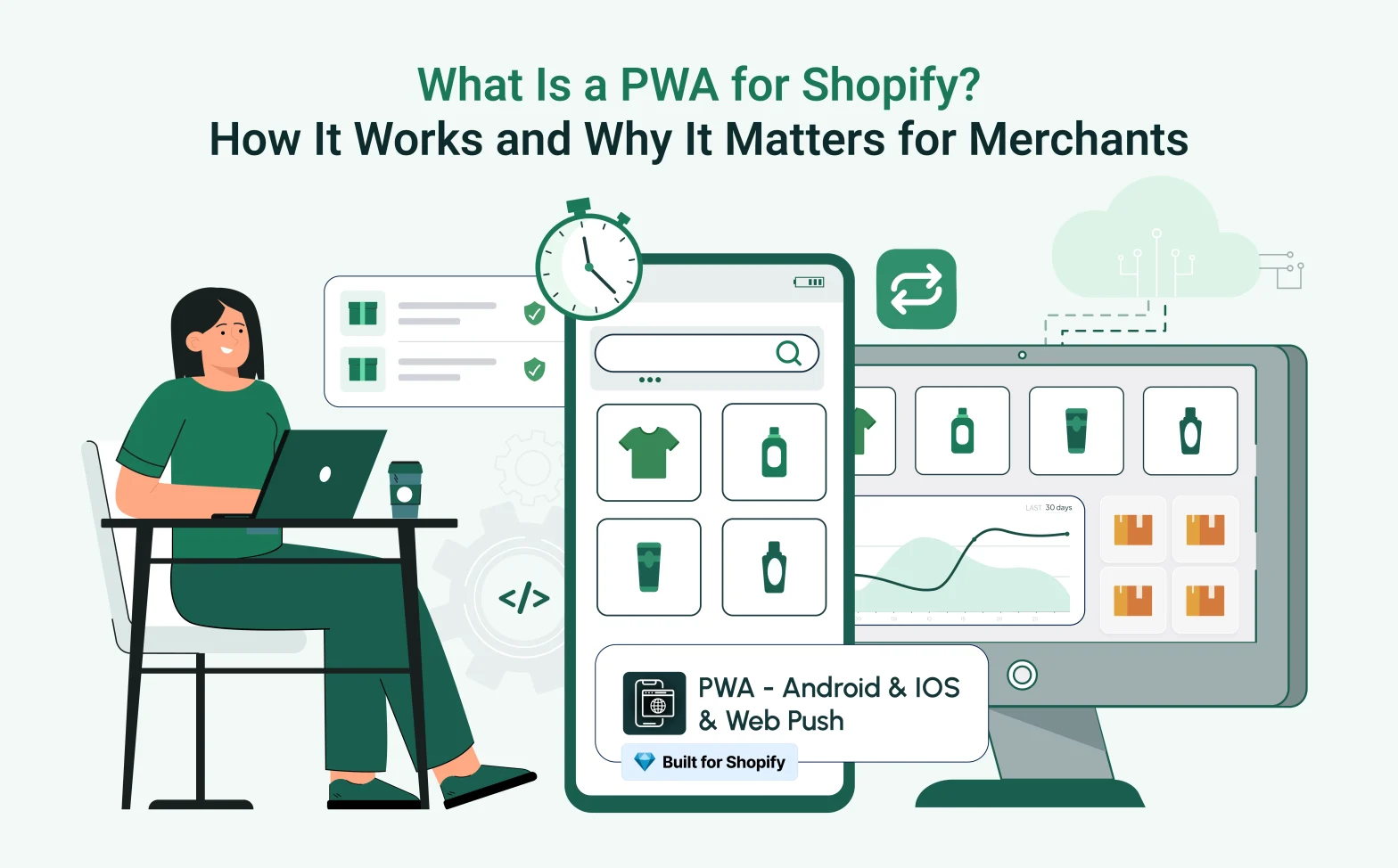
A customer visits your Shopify store on their phone. They browse a few products, spend four minutes on your site, and then a notification comes in from somewhere else. They switch apps, forget about you, and never come back.
Not because they did not like what they saw. Because you gave them no way back and no reason to return.
That is the exact problem a PWA for Shopify solves. It turns your store from a browser tab into a branded icon on your customer’s home screen, enabling push notifications and faster loading on every return visit, all without the cost or complexity of building a native app.
Qe PWA is a Built for Shopify that makes this possible for any store, in minutes, with no code required. This guide explains what a Shopify PWA is, how it works, and what it can do for your store right now.
What Is a PWA for Shopify?
A Progressive Web App on Shopify is a website that behaves like a mobile app. It runs in a browser but can be installed on a phone’s home screen, send push notifications, and function in offline or low-connection situations, features that standard mobile websites simply cannot deliver.
For Shopify merchants, a PWA does not replace your existing store. Instead, it sits on top of it.
Once active, your store becomes installable. Customers can save it to their home screen as a branded icon. When they tap it, your store opens without a browser address bar or distracting tabs. It looks, feels, and navigates like a proper app, built on your existing Shopify theme, with no new platform to learn and no developer required.
The customer gets an app experience. You get a retention channel. Neither of you had to go near the App Store
How Does a Shopify PWA Work?
Three standard web technologies make a PWA possible. None of them are proprietary or experimental. They are part of the open web and supported across all major browsers. Here is what each one does.
1. Service Workers
A service worker is a background script that runs between your store and the customer’s browser. Its main job is caching: it saves copies of your store’s pages, product images, and core assets directly on the customer’s device the first time they visit.
When that shopper returns to your store, the cached version loads from their device rather than being downloaded fresh from a server. As a result, PWA stores load noticeably faster on repeat visits compared to a standard website. The heavy lifting has already been done.
Service workers also handle offline behaviour. If a customer loses their signal mid-browse, recently cached pages remain visible and functional rather than throwing a blank error screen.
2. Web App Manifest
The Web App Manifest is a small JSON configuration file that tells the browser what your store should look like when installed on a device. Specifically, it defines your app name, your icon, your splash screen colour, and how the app window should display.
This is what transforms your store from a browser bookmark into a properly branded home screen icon. Without a manifest, an installed web shortcut looks generic. With one, it looks like an app you designed from scratch.
3. Home Screen Installation and Push Notifications
On Android (Chrome and most Chromium-based browsers), the browser automatically shows an install prompt once your store meets PWA criteria. The shopper sees a banner offering to add your store to their home screen, and one tap places your icon there permanently.
On iOS (Safari), however, there is no automatic browser prompt. Instead, customers tap the Share button in Safari and select “Add to Home Screen” manually. This takes a few seconds, and a well-placed in-store banner can guide them through it. The end result is identical: your branded icon on their phone.
Once installed, push notifications become available. On Android, these work immediately after the customer grants permission. On iOS, push notifications require iOS 16.4 or above and the PWA must be installed to the home screen first. After that, notifications work the same way as on Android, delivered directly to the lock screen.
This means you can send restock alerts, flash sale announcements, and abandoned cart reminders to customers on both platforms, without routing through an email or SMS platform.
Website vs Mobile App vs PWA
| Feature | Website | Native App | PWA |
| Development Cost | Low | Very High | Low |
| App Store Required | No | Yes | No |
| Home Screen Install | No | Yes | Yes |
| Push Notifications | No | Yes | Yes (Android + iOS 16.4+) |
| Offline Browsing | No | Yes | Partial |
| Load Speed | Moderate | Fast | Fast (on return visits) |
| Maintenance | Simple | Complex | Simple |
| Code Update Speed | Instant | Requires approval | Instant |
| Customer Retention | Low | High | High |
| iOS Install Method | N/A | App Store download | Share > Add to Home Screen |
| Android Install Method | N/A | Google Play download | Browser auto-prompt |
A native app delivers the richest experience but requires specialist development, platform-specific codebases, ongoing updates, and app store approval for every release. A standard website, on the other hand, is accessible but gives you no retention mechanism after the tab closes. A PWA gives you most of the engagement benefits of a native app at a small fraction of the cost, with no gatekeeping, no waiting, and no new codebase to maintain.
Why Shopify Merchants Are Moving Toward PWAs
Mobile shopping is not a growing trend. It is the established default.
Statista shows that 68% of all online shopping orders were completed on smartphones, a figure that has nearly doubled over the past four years.
That number changes the conversation entirely. If more than two-thirds of your orders come from mobile, the quality of your mobile experience is your single biggest conversion lever, not your email list, not your ad creative, not your checkout flow on desktop.
And yet most Shopify stores still rely on a plain browser experience with no home screen presence and no mechanism to bring customers back after they close the tab.
PWAs fix that by creating a persistent relationship between your store and your customer’s phone. The home screen icon means your brand is always one tap away. Furthermore, the push notification means you choose when they come back.
For repeat-purchase categories such as subscriptions, beauty refills, fashion drops, and gifting, that ongoing presence compounds directly into revenue. A customer who has your store on their home screen is not a visitor. They are already in a buying relationship with you.
Top Benefits of PWA for Shopify Stores
Faster load times on return visits
Cached assets mean returning shoppers see near-instant page loads. Repeat visitors convert at higher rates than new ones, and they will only return if the experience is fast enough to reward the effort.
Home screen presence between purchases
Your store icon sits on the customer’s phone between every visit. One tap brings them back. No URL to remember, no search engine required, no competitor ad to fight past.
Push notifications on Android and iOS
Send abandoned cart reminders, back-in-stock alerts, and sale announcements directly to a customer’s lock screen. This is a retention channel that operates independently from email open rates and SMS delivery costs.
Offline browsing for returning visitors
If a shopper loses their connection mid-browse, recently cached product pages stay visible rather than dropping them onto a blank error screen. As a result, they stay in your store.
Full-screen app-like navigation
No browser bar. No tabs. Your store fills the screen and behaves exactly like a native app. Customers who have never downloaded your app get the experience of one.
A fraction of the cost of native app development
A native iOS and Android app requires specialist developers, platform-specific codebases, app store approval cycles, and ongoing update management. A Shopify PWA, however, delivers comparable retention benefits at a monthly subscription price.
Higher repeat purchase rate
Home screen access and push notifications work together as a retention engine. More touchpoints mean more return visits, and more return visits mean more completed orders.
When Should You Consider a Shopify PWA?
Here is the honest answer: if your store is live and getting mobile traffic, you already have customers who visited, looked around, and left with no way back. A PWA changes that immediately.
You do not need to be a large store. No developer is required. Nothing about your existing theme needs to change. All you need is five minutes and a clear reason, and here are the most common ones.
Your Mobile Traffic Is Above 70%
Most Shopify stores hit this threshold today. If the majority of your sessions are on mobile, your mobile experience is your store. A PWA improves it for every single visitor without touching your theme or your checkout.
You Sell in Fashion, Beauty, or Gifting
These are browse-heavy categories. Customers rarely buy on the first visit. They come back two or three times before deciding. A home screen icon means your brand is visible during all the time between those visits, not just when they happen to search for you again.
You Run a Subscription or Repeat-Purchase Brand
Push notifications are built for this. Alert subscribers before a renewal, tell them when a frequently purchased product is back in stock, or let them know a new product line has launched. You are re-engaging customers who already want to hear from you. That is the easiest conversion in ecommerce.
You Want to Grow Retention Without Growing Your Ad Budget
New customer acquisition costs money. Re-engaging someone who already visited your store, however, costs almost nothing by comparison. A PWA therefore turns one-time mobile visitors into people who come back because your icon is already on their phone.
You Want an App Experience Without Building an App
A native app costs tens of thousands to build and thousands more every year to maintain. A PWA gives your customers a full-screen, home-screen, notification-enabled experience at a low monthly cost. For most Shopify merchants, it is the smarter path to the same outcome.
You Serve Customers in Areas With Variable Connectivity
Offline browsing keeps recently loaded product pages accessible even without a signal. Shoppers stay in your store instead of hitting a blank screen.
If even one of these applies to your store, the decision is clear. Install QE PWA from the Shopify App Store and turn your next mobile visitor into a customer who comes back.
How Qe PWA Helps Shopify Stores
is a Shopify app that adds a full Progressive Web App layer to your existing store with no code changes required. It is compatible with all Online Store 2.0 themes and installs without any modifications to your theme files.
Getting started takes three steps:
1. Install the app from the Shopify App Store.
2. Upload your store icon and configure your splash screen branding.
3. Enable the service worker and go live.
Your store becomes installable on both iOS and Android as soon as the app is active.
What you get with QE PWA:
- Push notifications for both Android and iOS 16.4 and above, covering promotional, restock, and abandoned cart use cases
- Branded home screen installation with your custom icon and splash screen
- Service worker caching for faster load times on return visits
- Offline mode that keeps recently loaded product pages visible without a signal
- Full compatibility with Online Store 2.0 themes, with no conflicts and no code edits needed
- Setup support from the QeApps team if you need it
If you already use Qe Checkout Blocks and Customizer to reduce friction at the payment step, adding a PWA is the natural complement. Faster loading and push notifications layered on top of a clean checkout creates a compounding improvement across the full purchase journey, from first visit to completed order.
The investment is small. The impact on repeat visits and customer retention is immediate.
Final Thoughts
Your Shopify store is already mobile-accessible. The question is whether it is doing enough to bring mobile visitors back after they leave.
A PWA for Shopify closes that gap. It adds home screen presence, push notifications, faster return-visit loading, and offline browsing to your existing store, without a development project, without app store submissions, and without significant cost.
For any merchant whose customers shop on mobile, a PWA is one of the most practical and cost-effective tools available in 2026. You are not building something new. You are making your existing store harder to forget.
Explore the full feature set at qeapps.com/qe-pwa or head straight to the Qe PWA listing on the Shopify App Store and have your store on your customers’ home screens today.
FAQ
Q.1 What is a PWA in Shopify?
A Shopify PWA (Progressive Web App) gives your store an app-like experience. Customers can add it to their home screen, receive push notifications, and enjoy faster browsing without downloading an app from the App Store or Google Play.
Q.2 Is a PWA better than a native mobile app for Shopify?
For most Shopify merchants, yes. A PWA offers app-like features such as home screen access and push notifications at a much lower cost, without the complexity of building and maintaining separate iOS and Android apps.
Q.3 Can a Shopify store become an app without a developer?
Yes. With a Shopify PWA app, customers can install your store directly from their browser in seconds. No coding or custom app development is required.
Q.4 Does Shopify support Progressive Web Apps?
Yes. While Shopify does not offer built-in PWA functionality, merchants can add it easily through Shopify App Store apps like Qe PWA, which work with all Online Store 2.0 themes.
Q.5 Are PWAs good for ecommerce?
Yes. PWAs help improve mobile shopping with faster loading, home screen access, and push notifications. They are especially valuable for stores with high mobile traffic and repeat customers.
Related Blogs



 [email protected]
 +91 95747 42204
 9th Floor, Solitaire Connect, Near Gallops Motors, SG Highway, Ahmedabad, Gujarat 380015


