
- Apps
 BYOB ‑ Bundle Gift Box Builder
Build your Own Box
 Easy Bundle ‑ Product Builder
All-In-One bundle builders
 Checkout Blocks & Customizer
Checkout Customization
 Qe Slider ‑ Carousel Slider
Elevates Revenue with Slick Slider


 Qe Seasonal Effects & Decor
Add Festive Seasonal Decorations
 Qe Quick Link Redirect
Fix Broken Links Effortlessly
 Qe Frequently Bought Together
Boost Sales with Smart Upsells
 QeApps ‑ Mobile App Builder
No-code Mobile App Builder
 Qe Product Compare
Allowing Shoppers to Compare Items
 Qe Multiship
Ship Items to Multiple Addresses
 Discount Bulk Volume Quantity
Create Custom Product Bundles
 Sticky Cart+ Fly Cart
Add Fly-to-Cart Animations.
 QeCart ‑ Slide Out Cart
Add Dynamic Slide-out cart
 Qe Speechify | Voice Search
Seamless Voice Search Functionality
 Qe FAQ Page & Product FAQs
Customizable Product FAQs
 ATC Button Animation
Add to Cart Button Animations

Explore Our Shopify Apps to Grow Your Store
- Check Our Apps


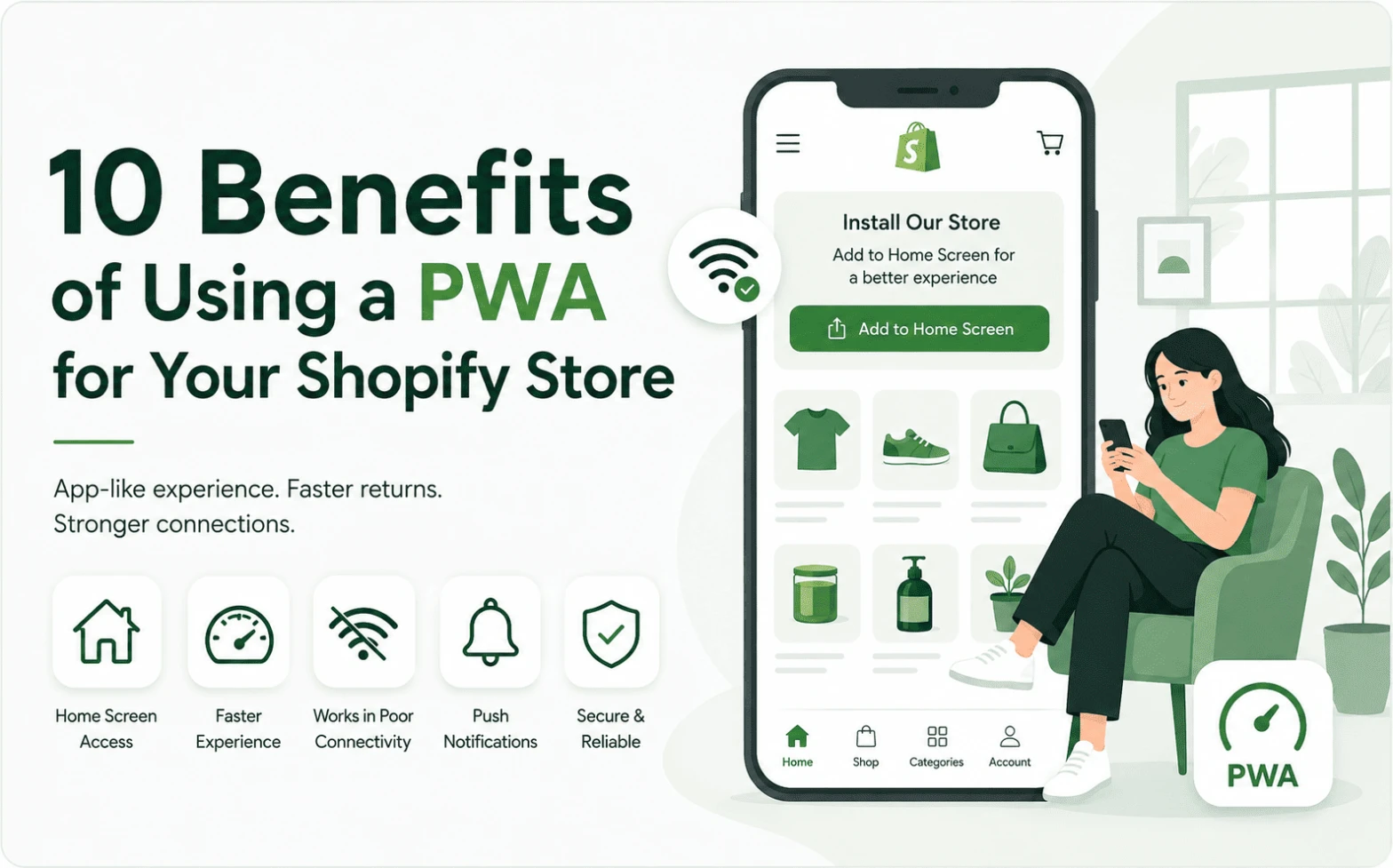
A shopper finds your store through an Instagram ad, browses four or five products on their phone, then closes the tab to compare prices. Three days later they remember your brand, but not your URL. So they search again, hope the right result surfaces, or simply forget. This is one of the quieter problems in Shopify mobile shopping: it is rarely that shoppers dislike a store; it is that returning to it takes more effort than it should.
This is where Shopify PWA get practical instead of technical. A Progressive Web App gives a Shopify storefront a more persistent, app-like presence on a customer’s phone, without requiring the merchant to build and maintain a separate native app. The rest of this article breaks down what that changes for a Shopify business, not a developer.
Quick Answer: What Are the Benefits of a PWA for Shopify?
A Shopify PWA gives a store home-screen installability, faster reopening for returning shoppers, a more app-like browsing experience, limited offline access to recently viewed content, and, where supported, push notifications for re-engagement, all without a separate native app build for iOS and Android. The main business benefit is reduced friction around repeat visits, not a guaranteed lift in conversion or sales.
What a PWA Means for a Shopify Store
A Shopify Progressive Web App is a website that can behave more like an installed app while still being delivered through standard web technology. For a Shopify merchant, that can mean an installable storefront, home-screen access, app-like browsing without visible browser navigation, faster loading for returning visitors, limited offline access depending on setup, push notifications where supported, and a more branded mobile experience overall. None of this requires shoppers to visit an app store. The focus here is what these capabilities change for a merchant’s day-to-day customer relationships, not how the underlying code works.
10 Benefits of Using a PWA for Your Shopify Store
1. Give Returning Shoppers a Faster Way Back to Your Store
Discovering a store through a browser and returning to an installed PWA are two different experiences. A browser visit depends on memory, search results, or a saved link. An installed PWA sits on the home screen, ready to open directly. For merchants who depend on repeat browsing, not just repeat buying, this closes a small but real gap.
In practice: a skincare brand running weekly Instagram traffic noticed a portion of visitors browsed once, left, and only came back through paid retargeting. After adding a PWA, shoppers who installed the store had a direct path back that didn’t depend on another ad impression.
2. Create a More App-Like Mobile Shopping Experience
A PWA can strip away the browser address bar and navigation chrome, so the storefront opens into a standalone, full-screen experience. Shoppers still move through the same catalog and checkout, but the interaction feels closer to a native app than a mobile website, which can reduce the sense that they are “just browsing a site.”
3. Keep Your Store One Tap Away
Home-screen access matters most for merchants whose products involve ongoing relationships: replenishment, seasonal collections, or lines shoppers check back on. Installation alone will not generate purchases. It removes a step between a shopper’s intent to browse and actually landing back in the store.
4. Reduce Friction for Repeat Shopping
Fashion, beauty, food and beverage, supplements, and accessories brands share a common pattern: customers come back. A PWA lets that returning shopper open the store directly instead of retyping a name into search or digging through old messages for a link, a small but recurring point of friction.
5. Support Shopping When Connectivity Is Unreliable
PWA technology can cache select resources, such as recently viewed pages, so parts of the experience remain accessible during weak or dropped connections, depending on implementation. This is not the same as saying the entire store, including checkout, works offline. It means a shopper on a train or in a low-signal area is less likely to hit a blank screen.
6. Give Merchants Another Way to Re-Engage Customers
Where supported, push notifications offer a permission-based channel for updates: new arrivals, back-in-stock alerts, promotions, or limited-time launches. Value depends heavily on relevance, timing, and message quality, not just whether the feature exists.
In practice: a supplements brand used push notifications only for restock alerts on two best-selling SKUs, nothing else. Because the message stayed narrow and useful, engagement held up better than broader promotional blasts through other channels. The takeaway is restraint, not frequency.
7. Avoid the Cost and Complexity of a Full Native App Project
Building and maintaining separate iOS and Android apps involves ongoing development, app store review, and update cycles. A PWA can offer several app-like capabilities without that overhead, making it a more practical starting point for merchants not yet ready for a full native build. For a closer look, see this Shopify PWA vs native app breakdown.
8. Build on Your Existing Shopify Storefront
Rather than creating a separate shopping destination, a PWA extends the store a merchant already runs: same catalogue, checkout flow, and backend. That means fewer new systems to manage, though behaviour can vary depending on theme and app compatibility, worth checking before rollout.
9. Strengthen Your Mobile Commerce Strategy
Mobile already accounts for a majority of web traffic. StatCounter recorded mobile devices at 55.9% of global web traffic in March 2026, according to Shopify’s research on progressive web apps for ecommerce. That same research found only about 3.5% of mobile sites had both a web app manifest and a service worker, the two components needed for a full PWA. Most stores have optimized how they look on mobile. Far fewer have addressed how easily a shopper can come back. That gap is where a PWA strategy fits, and it’s the specific gap Qe PWA for Shopify is built to close.
10. Create a More Persistent Brand Touchpoint
A website asks a shopper to remember a URL or find the store again through search or social. An installed PWA creates a branded icon on the shopper’s device, sitting alongside the other apps they open regularly. For brands competing for limited attention on a crowded phone screen, that repeated touchpoint can matter more than another single ad impression.
Why These Benefits Matter for Shopify Merchants
Individually, these benefits look incremental. Together, they point toward a shift in how merchants think about mobile: not only “does my store look good on a phone,” but “how easily can a shopper come back to it.” A PWA does not replace product quality, pricing, or marketing. It removes friction between interest and the next visit, which matters most for merchants who already know their customers return more than once.
Where a PWA will not help: it will not fix weak product-market fit, and it will not repair a broken checkout or a slow site with deeper performance issues. A PWA improves how a shopper gets back to the store, not what happens once they’re there. Treat it as one piece of a mobile strategy, not the whole strategy.
Want These PWA Benefits Without Building Everything From Scratch?
For Shopify merchants who want these capabilities without a custom development project, Qe PWA is built for this use case. It runs on top of an existing Shopify storefront and includes home-screen installation, push notifications for iOS and Android, custom branding and splash icons, and limited offline browsing for recently viewed pages. Setup requires no code and works with Online Store 2.0 themes. For deeper setup details, see this PWA caching for Shopify guide and this adding a PWA to Shopify walkthrough.
Ready to give your Shopify store an app-like mobile experience? Explore Qe PWA or install it directly from the Shopify App Store.
Frequently Asked Questions
Q.1 What are the main benefits of a PWA for Shopify?
The main benefits center on returning shoppers: home-screen access, app-like browsing, a re-engagement channel through push notifications, and a more branded, persistent presence on a customer’s phone, without building a separate native app.
Q.2 Can a Shopify PWA improve the mobile shopping experience?
It can make browsing feel more app-like by removing browser navigation elements and speeding up access for returning visitors. It does not automatically improve conversion rates or replace good mobile design fundamentals.
Q.3 Can Shopify PWAs work offline?
Partially. Select cached content, such as recently viewed pages, may remain accessible with a weak or dropped connection. Checkout and most dynamic store functions still require an active connection.
Q.4 Can a PWA help Shopify stores re-engage customers?
Where push notifications are supported, yes, in that it creates a permission-based channel for updates and promotions. Actual engagement still depends on message relevance, timing, and how selectively it is used.
Q.5 Is a PWA better than a native mobile app for Shopify?
Neither is universally better. A PWA typically involves less development overhead and no app store listing, while a native app offers deeper device integration. The right choice depends on budget, resources, and how central mobile is to the business.
Related Blogs



 [email protected]
 +91 95747 42204
 9th Floor, Solitaire Connect, Near Gallops Motors, SG Highway, Ahmedabad, Gujarat 380015


